
You cannot patch 966 things before your users log back in tomorrow morning. You can patch two, and you almost certainly should have already started. Microsoft's 8 September 2026 release is the largest Patch Tuesday on record by every count anyone has published, and buried in that volume are two Windows privilege-escalation bugs that attackers are using right now, plus a stack of Critical remote-code-execution flaws that are individually more dangerous than either zero-day.
The problem this month isn't finding the advisory — every vendor with a security blog published one within hours. The problem is that the sheer size of the release makes it easy to default to "patch everything on the usual cadence" or, worse, to get lost re-reading count discrepancies between trackers instead of moving. Neither zero-day needs a network path in to be dangerous; both hand an attacker who already has a foothold the one thing they were missing — SYSTEM.
This guide gives you a triage order that does not require reading all 966 advisories first: what the two exploited bugs actually do, which of the remaining Critical flaws deserve to jump the queue anyway, how to expedite deployment through Autopatch, Intune, WSUS, ConfigMgr, and Azure Update Manager without blowing up your rings, and what to hunt for in Defender and Sentinel while the rollout is still in progress.
The September 2026 Patch Tuesday Count Nobody Agrees On
Every tracker published a different total this month, and the gap is wide enough to be worth explaining rather than picking one number and hoping nobody checks. BleepingComputer counts 966 CVEs in the Patch Tuesday release itself, explicitly excluding 204 cloud-service flaws — Azure AI Language, Azure Cosmos DB, Copilot Studio, Entra ID, Microsoft Fabric, and Power Automate among them — that Microsoft had already fixed earlier in September, outside the monthly cycle. Tenable lands at 964 with the same scope. SecurityWeek and The Hacker News report 974, and the Zero Day Initiative's review puts it at 972 new CVEs, 997 once you fold in Chromium-based Edge fixes shipped the same day. Rapid7 reports 974 Microsoft CVEs plus 25 non-Microsoft entries patched alongside them — 999 in total, and 723 of those are in Windows itself.
None of these trackers are wrong. They're drawing the boundary differently: whether to count the cloud-service CVEs Microsoft fixed mid-month, whether to fold in Chromium/Edge, and whether to count non-Microsoft advisories shipped the same day. Pick whichever total you want for the board slide. For triage, the boundary that matters is much narrower.
| Metric | Figure | Source |
|---|---|---|
| Patch Tuesday CVEs (narrowest count) | 966 | BleepingComputer |
| Critical-rated | 104–114 depending on tracker | Tenable, BleepingComputer, ZDI |
| Windows-specific CVEs | 723 | Rapid7 |
| Actively exploited zero-days | 2 | Microsoft, CISA KEV |
| Estimated wormable (unauthenticated RCE, no user interaction) | ~20 | Zero Day Initiative |
| July 2026 comparison | ~570 | Tenable |
| August 2026 comparison | ~400 | Tenable |
Whatever total you settle on, Dustin Childs of the Zero Day Initiative put the trend bluntly: "AI-assisted bug discovery has exploded patch counts into a whole new galaxy," and defenders "simply have to embrace the suck." Volume is now the baseline condition, not a one-month anomaly — which is exactly why triage order matters more than the total.
The Two Bugs Already Being Used
Both zero-days are local privilege escalations, and both were added to CISA's Known Exploited Vulnerabilities catalog on 8 September — direct evidence of active exploitation, not a theoretical risk score.
CVE-2026-85880 is a heap-based buffer overflow in Windows Advanced Local Procedure Call (ALPC), the internal messaging system Windows processes use to talk to each other. Per CSO Online's writeup, citing Action1, an attacker who can already execute code inside a low-privilege AppContainer can exploit the flaw locally to escape that sandbox and elevate to SYSTEM, with no additional user interaction required. Tenable notes it carries a CVSS of 7.8 and is the first ALPC bug included in a Patch Tuesday release in more than three years — and only the second ALPC vulnerability exploited as a zero-day, after CVE-2023-21674 in April 2023.
CVE-2026-81963 is an improper link resolution ("link following") flaw in the Windows Update Stack — also CVSS 7.8, also a local elevation to SYSTEM. SecurityWeek reports it's the first Update Stack security issue flagged as an exploited zero-day among seven flaws resolved in that component over the past five years — notable because the Update Stack is the exact pipeline you're about to lean on harder in the next section.
Neither bug gets an attacker in the door. Both matter because they remove the one obstacle standing between "phished one user" and "own the box." A sandboxed browser exploit, a malicious document that runs code in a restricted container, a compromised low-rights service account — all of them become full SYSTEM compromise once either of these is available. That's why an LPE with no network reach still belongs at the top of your list: it's the second half of an attack chain that starts somewhere else, and you generally can't see the first half until the second half completes.
Sorting the Rest Before You Sleep
The two zero-days aren't the only entries that deserve to skip the normal queue. A handful of this month's other high-severity remote-code-execution flaws are reachable without a foothold at all, which for a triage order beats an LPE that needs one — though only the DNS Server bug below actually carries Microsoft's Critical rating; the SharePoint, Exchange, and RDS entries are Important-rated despite CVSS scores in the Critical range:
- CVE-2026-69730 — Windows DNS Server, CVSS 9.8, unauthenticated, remote. Rapid7 flags it "Exploitation More Likely" via a crafted packet exploiting a use-after-free; ZDI called it the closest thing this month has to a spiritual successor to SigRed. If you run DNS on a domain controller — and most shops do — this outranks everything else that isn't already being exploited.
- CVE-2026-55007 — one of several Exchange Server CVEs disclosed this cycle. According to Zero Day Initiative's analysis, an unauthenticated attacker can reach remote code execution by getting a malicious attachment processed server-side.
- CVE-2026-69465 — SharePoint, CVSS 8.8. Requires authentication, but an authenticated user can bypass a control-safety check and force the server to load code from a remote network location the attacker controls.
- CVE-2026-69525 — Remote Desktop Services, CVSS 9.8, a use-after-free. ZDI's caveat is worth repeating: despite the Network attack vector in the CVSS string, exploitation in practice needs an attacker already positioned on the same network segment as the RDS host, not the open internet.
Use exploitation status and reachability, not severity score alone, to build the order:
The DNS Server, Exchange, and RDS bugs sit in the same urgency tier as the zero-days for one reason: an attacker doesn't need the LPE chain if they can already get code running remotely without credentials. Rank by what an attacker needs to already have, not by which CVE has the bigger headline number.
Getting Ahead of Your Rings
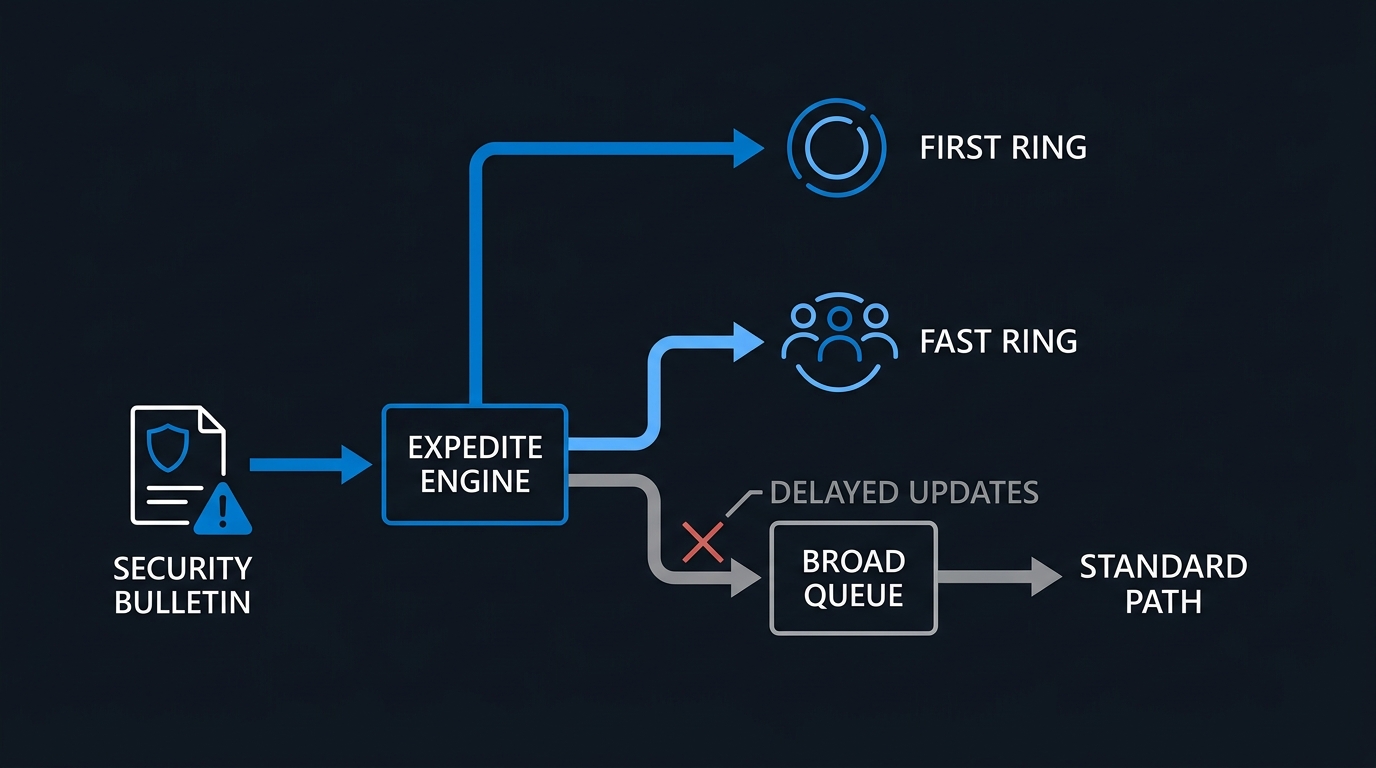
Standard deferral policies exist so a bad cumulative update doesn't reach your whole fleet at once. For an actively exploited LPE, that same protection becomes the thing slowing you down — which is why every major deployment tool ships an expedite path that overrides it.
Windows Autopatch and Intune
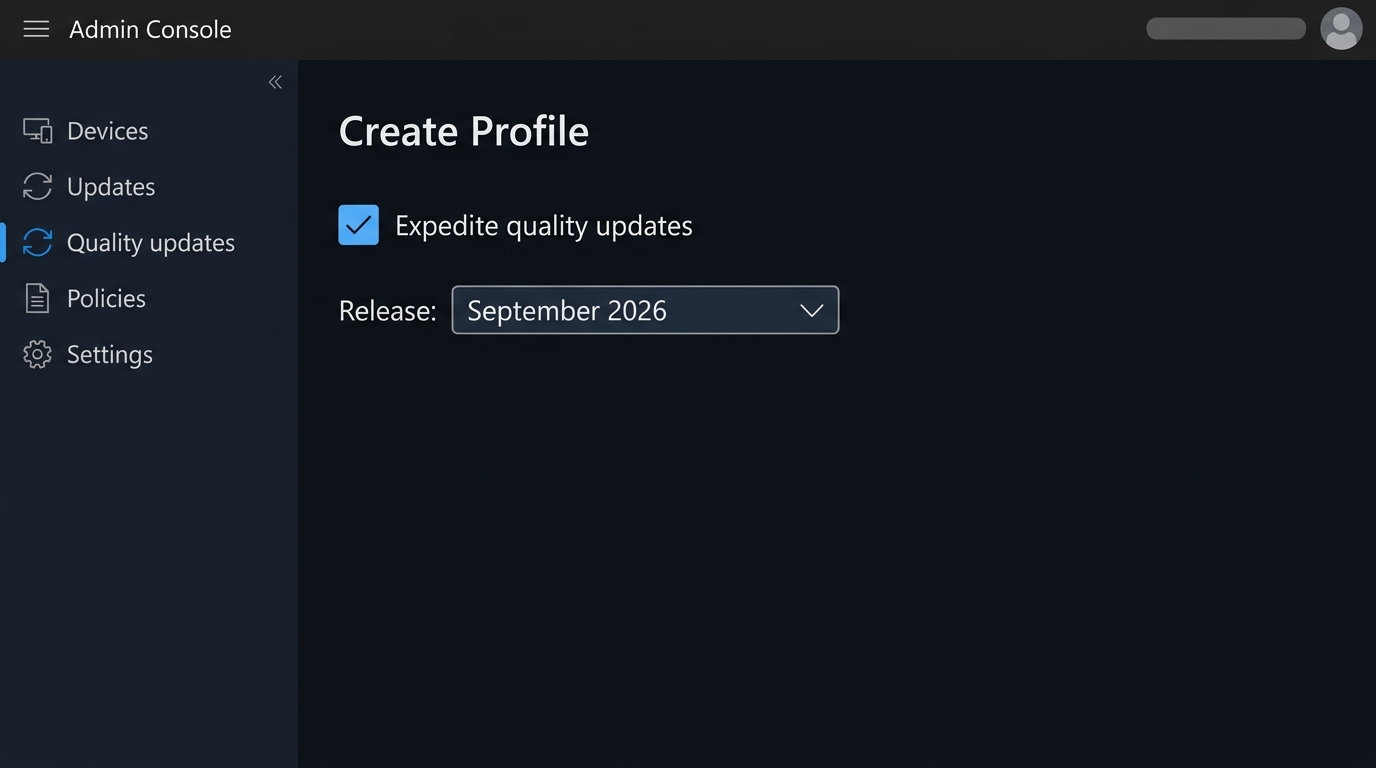
Windows Autopatch's expedite capability overrides Windows Update for Business deferral settings for a single specified update — the device installs it once it completes its next update scan, ahead of the normal deferral timeline, without changing how future quality updates are deployed. In Intune, this is exposed as an expedite policy layered on top of your existing Windows quality update policies: Devices → Windows Updates → Quality updates tab → Create → Expedite policy, then target the group and the specific release. Under the hood it's a windowsQualityUpdateProfile resource with expeditedUpdateSettings set:
# Requires Microsoft.Graph.Authentication and DeviceManagementConfiguration.ReadWrite.All
Connect-MgGraph -Scopes "DeviceManagementConfiguration.ReadWrite.All"

$body = @{
    displayName            = "Expedite - Sept 2026 zero-day fix"
    expeditedUpdateSettings = @{
        qualityUpdateRelease   = "2026-09-08"
        daysUntilForcedReboot  = 0
    }
} | ConvertTo-Json -Depth 5

Invoke-MgGraphRequest -Method POST `
    -Uri "https://graph.microsoft.com/beta/deviceManagement/windowsQualityUpdateProfiles" `
    -Body $body
WSUS and ConfigMgr
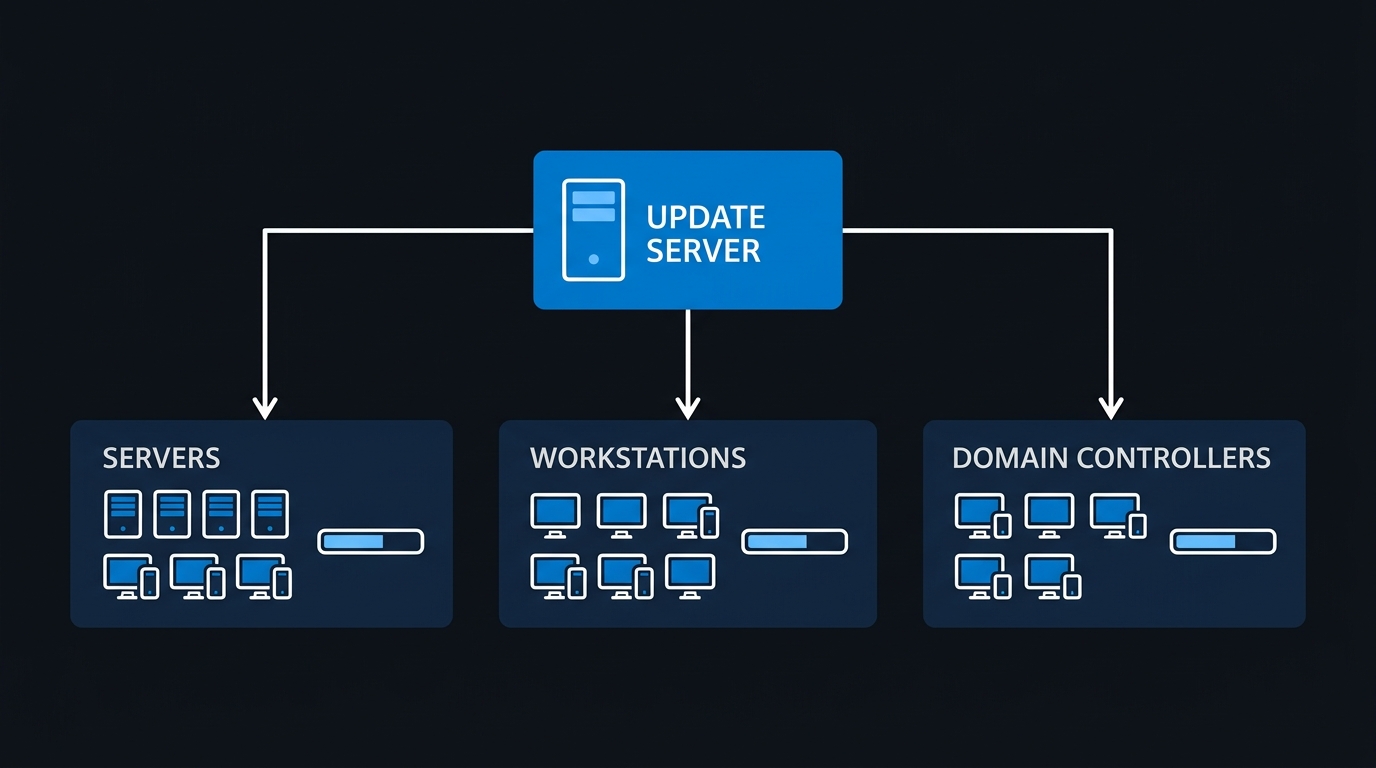
For fleets still standardized on on-premises update infrastructure, approve the zero-day fixes directly rather than waiting for a scheduled sync. In WSUS, Approve-WsusUpdate takes a WsusUpdate object piped from Get-WsusUpdate:
Get-WsusUpdate -Classification Critical, Security -Approval Unapproved |
    Where-Object { $_.Title -match "5124008" } |
    Approve-WsusUpdate -Action Install -TargetGroupName "All Computers"
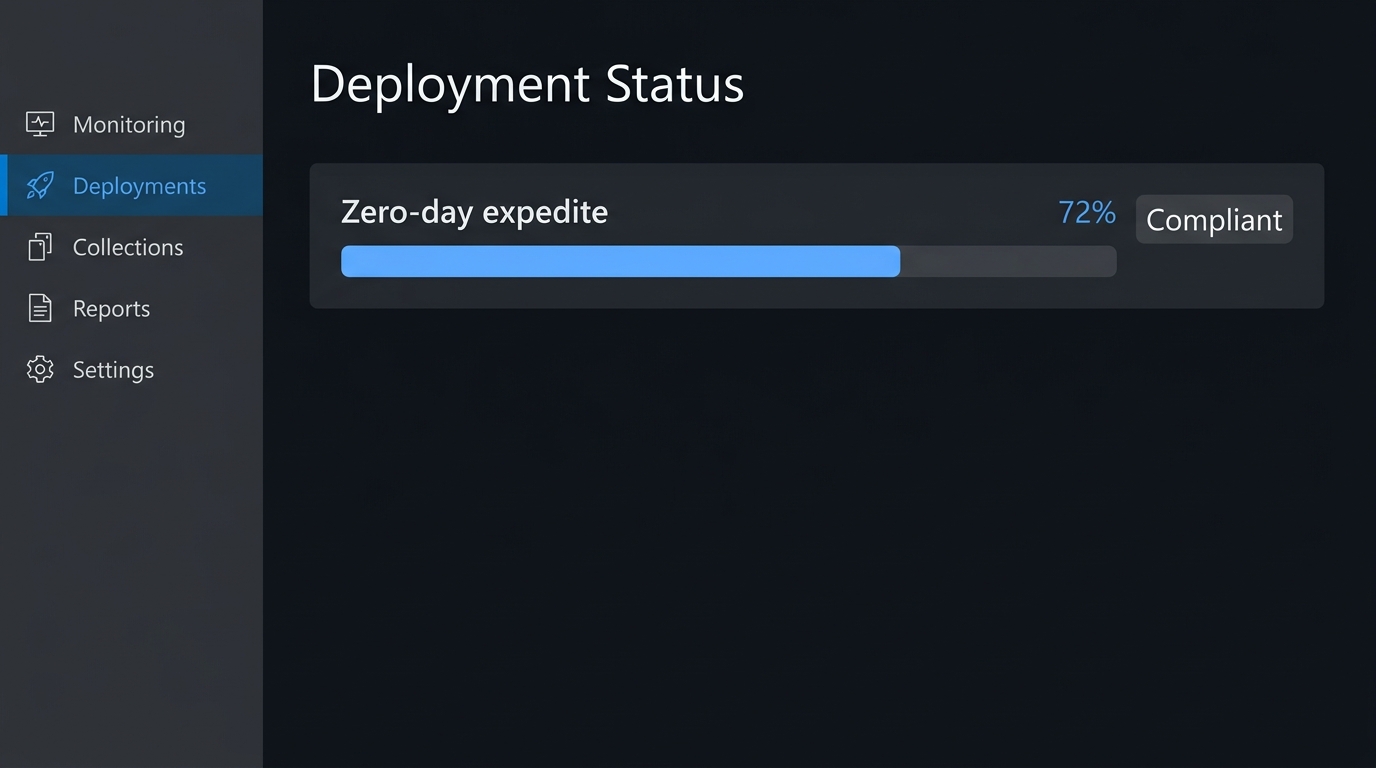
In ConfigMgr, deploy the software update group that contains this month's cumulative updates against a required deployment with an immediate deadline using New-CMSoftwareUpdateDeployment:
New-CMSoftwareUpdateDeployment -SoftwareUpdateGroupName "September 2026 Security Updates" `
    -CollectionName "All Windows Servers" `
    -DeploymentName "Sept 2026 zero-day expedite" `
    -DeploymentType Required `
    -DeadlineDateTime (Get-Date) `
    -UserNotification DisplaySoftwareCenterOnly `
    -SoftwareInstallation $true -AllowRestart $true
Servers, via Azure Update Manager
Servers are not covered by Autopatch or the Intune quality update profile above, and they're exactly where the DNS Server and RDS Critical RCEs land hardest. Azure Update Manager's on-demand patching installs outside any scheduled maintenance window, triggered from the portal, the REST API, Azure CLI, or PowerShell:
az vm install-patches -g MyResourceGroup -n MyDnsServerVM \
    --maximum-duration PT2H \
    --reboot-setting IfRequired \
    --classifications-to-include-win Critical Security
Automate the same recurring policy with our Windows Server patching with Azure Update Manager walkthrough so this doesn't stay a one-off manual run next month, and confirm managed devices are actually enrolled through Intune device compliance policies before you assume the expedite pushed everywhere you think it did.
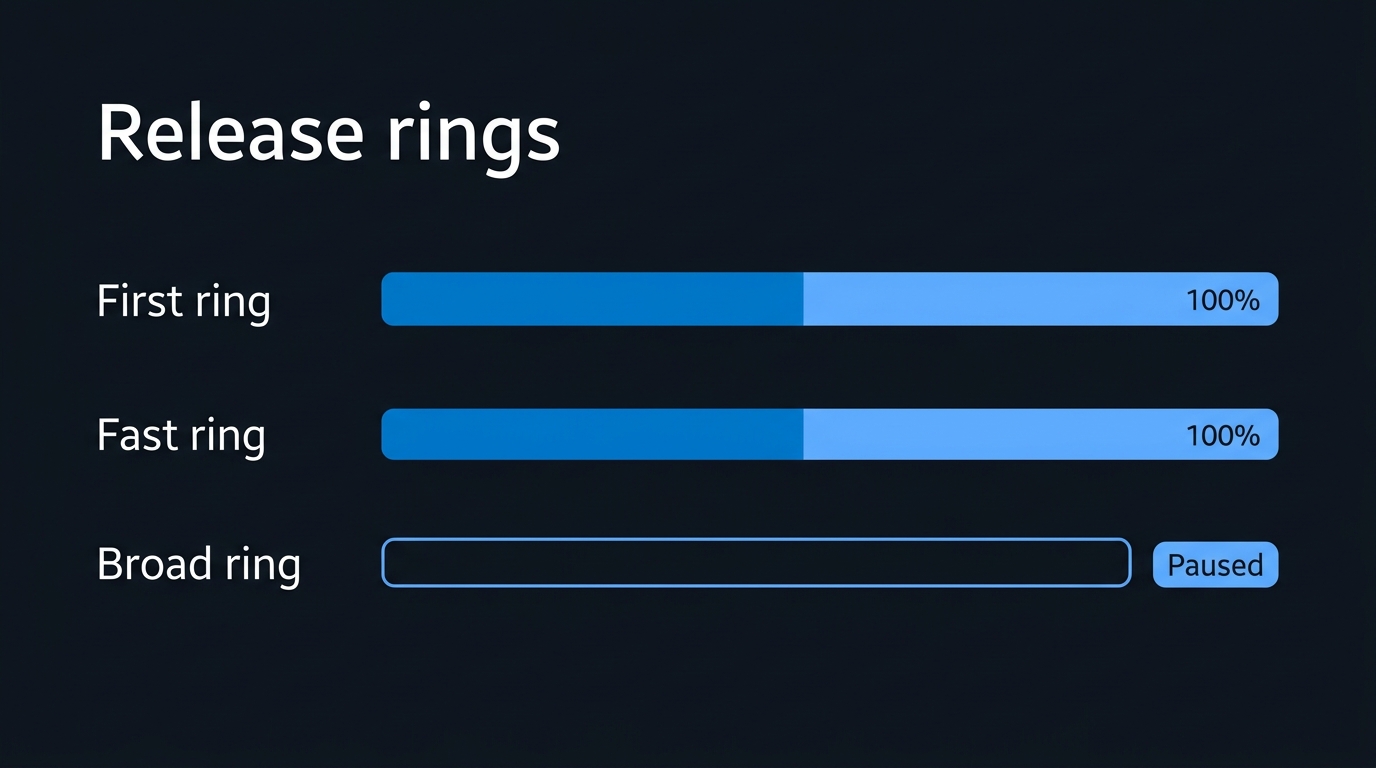
As of publication, Microsoft's KB5124008 servicing page for the 24H2/25H2 cumulative update states the company is "not currently aware of any issues with this update" — reassuring, but known issues for a release this size routinely surface days after Patch Tuesday rather than on it. Check the KB page again before you widen an expedited ring to Broad.
Watching the Front Door While You Patch
Microsoft hasn't published attack indicators for either zero-day beyond the vulnerability class itself, so there's no signature to paste in. What you can hunt for is the shape both bugs leave behind: a low-integrity or AppContainer-scoped process suddenly holding a SYSTEM-level token, and processes launched by parents that don't normally spawn them. Both queries use fields documented in the DeviceProcessEvents advanced hunting table — run them in Defender XDR advanced hunting or as a scheduled Sentinel analytics rule against the same table.
// Flag a process created by SYSTEM whose initiating process ran at a
// restricted integrity level — the general pattern both LPE bugs produce,
// not a signature for either specific CVE.
DeviceProcessEvents
| where InitiatingProcessIntegrityLevel in ("AppContainer", "Low")
| where AccountName in~ ("SYSTEM", "LOCAL SERVICE", "NETWORK SERVICE")
| where InitiatingProcessAccountSid != AccountSid
| project Timestamp, DeviceName, InitiatingProcessFileName, InitiatingProcessIntegrityLevel,
          FileName, AccountName, ProcessCommandLine
| order by Timestamp desc
// Generic parent/child anomaly: a process most commonly spawned by explorer.exe
// or a browser instead launched by the Windows Update orchestrator or a
// servicing host — worth a look while CVE-2026-81963 patching is in flight.
DeviceProcessEvents
| where InitiatingProcessFileName in~ ("usoclient.exe", "UsoClient.exe", "svchost.exe")
| where FileName in~ ("cmd.exe", "powershell.exe", "rundll32.exe", "mshta.exe")
| where InitiatingProcessParentFileName !in~ ("services.exe", "wuauclt.exe")
| project Timestamp, DeviceName, InitiatingProcessFileName, InitiatingProcessParentFileName,
          FileName, ProcessCommandLine, AccountName
| order by Timestamp desc
Both are noisy by design — tune thresholds against your own baseline before wiring either into an automated alert, and treat a hit as a lead to pivot from, not a confirmed exploitation event.
Where Triage Breaks Down
A few failure modes show up every large Patch Tuesday, and this one has more surface area for each of them than usual.
Chasing the total instead of the exploited set. Six trackers, six different counts, and a board that wants one number. The number that should drive your week is two — the CVEs on the KEV list — not whichever total sounds most alarming in a headline.
Treating server patching as optional because the zero-days are framed as client bugs. Both CVE-2026-85880 and CVE-2026-81963 affect supported Windows Server builds as well as client, and the DNS Server, Exchange, and RDS Criticals in this release are server-side by definition. Confirm per-product applicability against MSRC's own advisory pages rather than assuming a Windows privilege-escalation headline means desktops only.
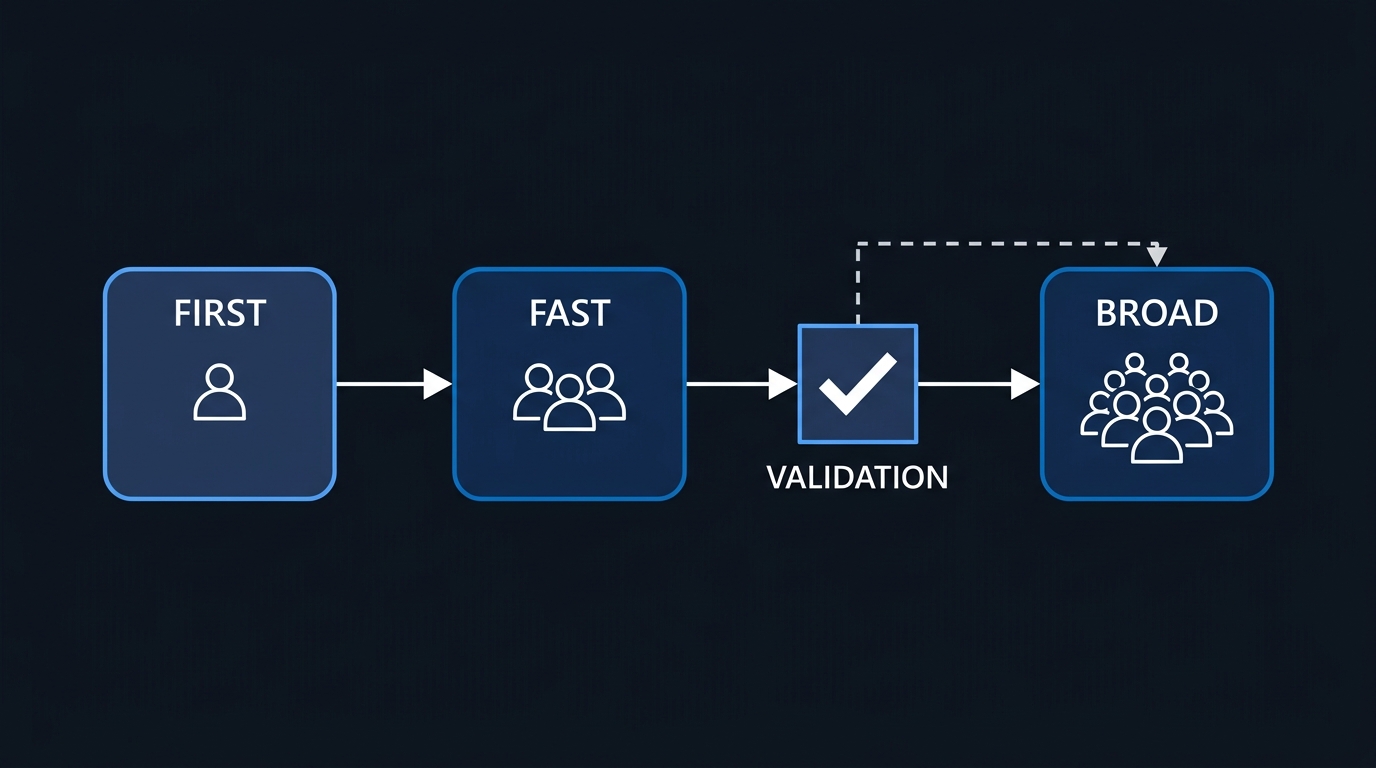
Expediting without a ring. Pushing an expedited update straight to Broad because "it's urgent" skips the one thing a ring buys you: a small population that surfaces a bad driver interaction or app conflict before it hits everyone. Run the expedite through First or Fast first, even when the update is a security emergency — a few hours of ring delay is cheaper than an outage on top of an active exploit.
Sort by what's already being used against you, patch the network-reachable Criticals right behind it, and let the rest of this September 2026 Patch Tuesday land on the schedule you already trust.

Leave a Reply