
Status as of
Retirement announcements arrive routinely from Microsoft. What distinguishes the Microsoft retirements landing in August and September 2026 is the concentration: four separate services reach end of support or full retirement within weeks of each other. For most organisations, at least two of them are running somewhere in production. What makes this cycle dangerous is not the individual deadlines but the staggered discovery — a Linux VPN client you thought was standard, an AVD environment nobody realised was classic, a Graph dependency buried in third-party code, a Project Online PWA site that nobody informed you existed.
The common thread across these four retirements is that they are not new announcements. Microsoft announced each one at least a year ago. What has changed is the dates are now immediate enough that deferral stops being a strategy.
This article walks you through each of the Microsoft retirements in the September 2026 cycle, the detection method for each one, and the exact replacement. The dates are hard; there is no negotiation pathway.
Azure VPN Client for Linux: 31 August 2026
The Azure VPN Client for Linux never left preview. Microsoft retired it on August 31, 2026, and the package has been removed from the Microsoft Linux repository. The client is no longer supported, and no bug fixes, security patches, or technical support are available.
Who is affected: Any organisation running Linux-based remote access to Azure VPN Gateway Point-to-Site connections using the Microsoft-provided Azure VPN Client. This commonly appears in mixed-OS environments where your VPN gateway is provisioned for Linux but the client choice defaulted to the Microsoft package rather than alternatives.
How to find it: Search for installations of the microsoft-azurevpnclient package across your Linux infrastructure. On Red Hat or CentOS:
# Check for the Azure VPN Client package on Red Hat/CentOS
rpm -qa | grep microsoft-azurevpnclient

# On Ubuntu/Debian
dpkg -l | grep microsoft-azurevpnclient
If either returns output, you have a migration on your hands. The client often runs as a systemd service or cron job, so check /etc/systemd/system/ and scheduled tasks as well.
Replacement: Two supported alternatives exist. OpenVPN client works with certificate authentication and runs across a broad range of Linux distributions. strongSwan uses the IKEv2 tunnel type and supports both certificate and RADIUS authentication. Both support more Linux distributions than the retired preview client did (which was limited to Ubuntu 20.04 and 22.04).
What doesn't migrate: Microsoft Entra ID authentication was only available through the Azure VPN Client for Linux. The open-source alternatives do not support Entra auth. If your gateway is configured for Entra-only access, you will need to reconfigure it for certificate or RADIUS authentication.
Azure Virtual Desktop (Classic): 30 September 2026
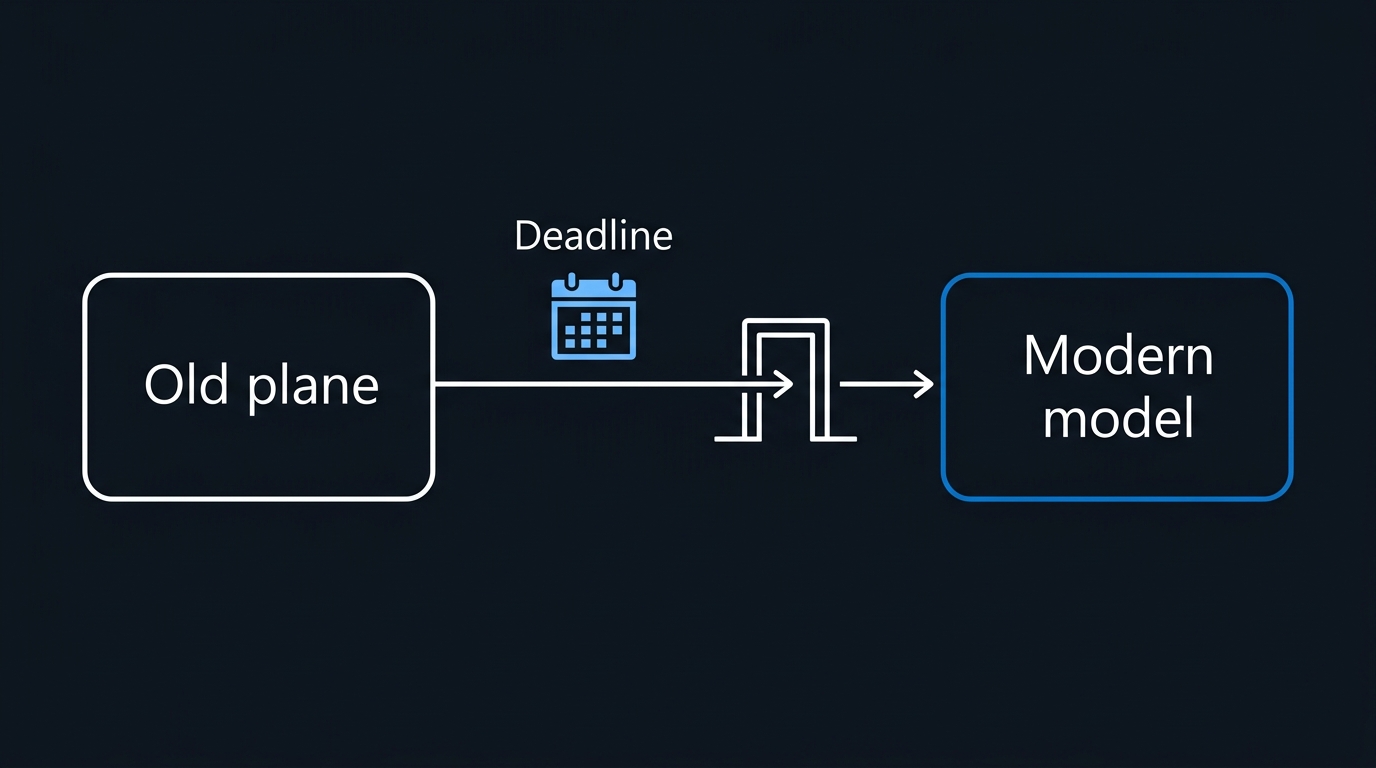
Azure Virtual Desktop Classic is retiring as a service model. Microsoft's hard stop is September 30, 2026, and existing classic tenants can still be managed and migrated until that date. After that date, access ends.
Who is affected: Organisations running AVD deployments created before Azure moved to the Azure Resource Manager (ARM) model. Classic deployments use a different management layer and cannot be simply "upgraded" — they must be migrated to ARM-based AVD. If your AVD host pools, application groups, and workspaces exist outside a resource group or use the older management APIs, you are running classic.
How to find it: Classic deployments are not Azure Resource Manager objects, so they will not show up in Get-AzWvdHostPool, Get-AzWvdApplicationGroup, or any ARM-based resource browse in the Azure portal — they live entirely in the separate, pre-ARM RDInfra management plane. Query that plane directly with the classic PowerShell module: Microsoft's own migration guidance installs it straight from the PowerShell Gallery with Install-Module -Name Microsoft.RDInfra.RDPowershell -RequiredVersion 1.0.3414.0 -force.
# Requires the Microsoft.RDInfra.RDPowershell module, not Az.DesktopVirtualization
Add-RdsAccount -DeploymentUrl https://rdbroker.wvd.microsoft.com
Get-RdsTenant
If Get-RdsTenant returns any tenant, you have a classic deployment that needs migration before September 30, 2026. If the sign-in fails outright because the deployment URL no longer resolves for your directory, you likely have no classic footprint to worry about.
Replacement: Migrate to Azure Virtual Desktop, the ARM-based successor. Microsoft provides two migration paths: manual migration for small deployments and automatic migration for larger environments. The ARM model offers unified resource management, improved networking, and better integration with Azure security services.
Exemption pathway: If you have more than 500 application groups or manage multi-tenant environments, you can request an exemption by opening an Azure support ticket with Problem subtype: Tenant creation exemption request. Be prepared to justify the business case; exemptions are not automatic.
Microsoft Graph Toolkit: 28 August 2026
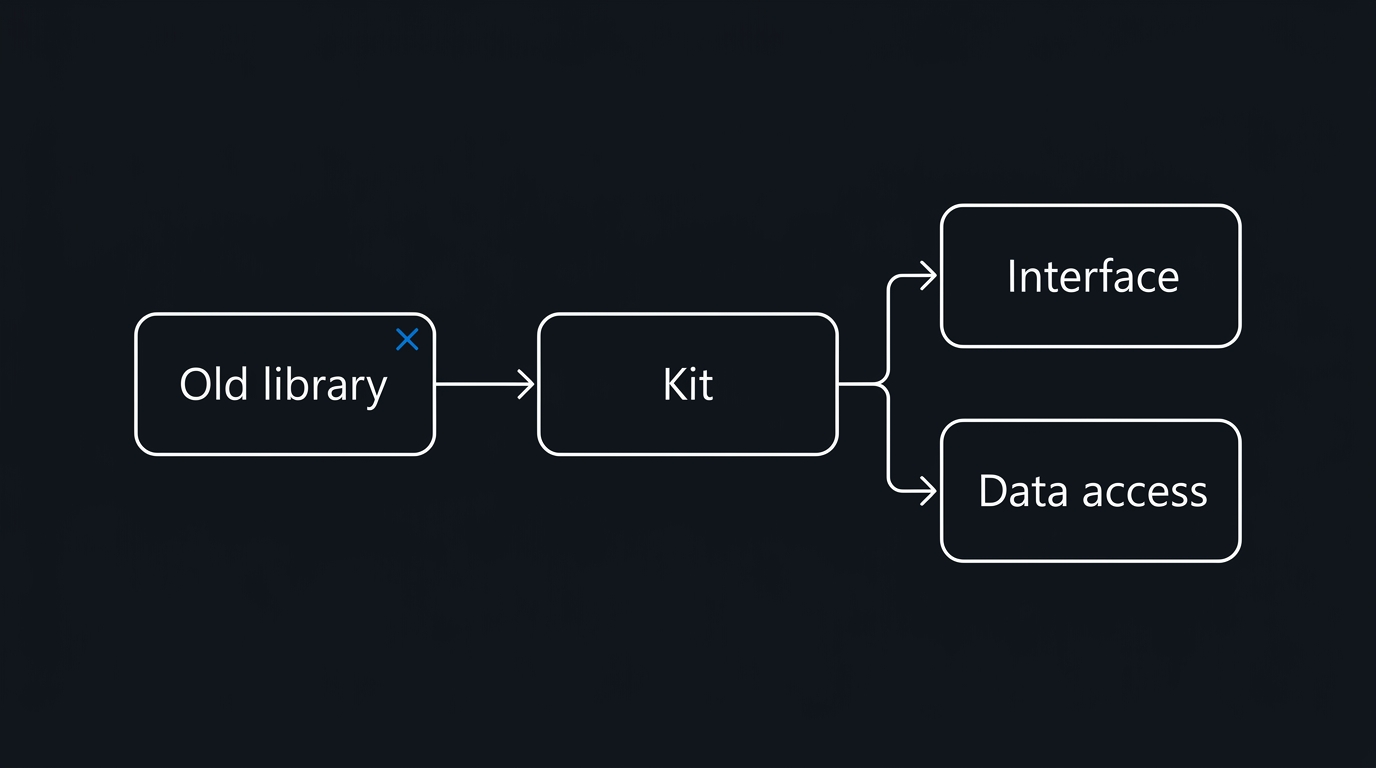
The Microsoft Graph Toolkit — a component library for building Microsoft Graph-connected web experiences — enters full retirement on August 28, 2026. Deprecation began September 1, 2025. No new features have been added since then; only critical security vulnerabilities are being patched.
Who is affected: Developers and organisations embedding MGT components (People Picker, Person Card, Login, etc.) in custom applications, SharePoint Framework solutions, or integrations. The toolkit was popular for rapid Graph integration but has narrower ecosystem support compared to alternatives now available.
How to find it: Search your codebase for MGT imports and npm dependencies:
# Find MGT imports across your repositories
grep -r "@microsoft/mgt\|@microsoft/mgt-react\|mgt-" . --include="*.tsx" --include="*.jsx" --include="*.ts" --include="*.js"

# Check npm dependencies
grep -r "mgt-element\|@microsoft/mgt" . --include="package.json"
If you use SharePoint Framework, check your SPFx solution packages for MGT. The component library is commonly used in search results, profile cards, and calendar widgets.
Replacement: Microsoft recommends two paths. For UI components, use Fluent UI Web Components or integrate directly with Microsoft Graph SDKs in your preferred language. For authentication and data access, use the Microsoft Graph SDKs, which receive full support and ongoing updates. The SDKs are available for JavaScript/TypeScript, Python, C#, and other platforms.
Migration challenge: The MGT documentation does not include a direct 1:1 replacement for every component (People Picker and Person Card are commonly mentioned pain points). Plan for re-architecting custom components rather than a direct library swap.
Project Online: 30 September 2026
Project Online — Microsoft's cloud-based project portfolio management service — retires on September 30, 2026. New Project Online-only SKU sales ended October 1, 2025. Starting April 1, 2026, existing customers can no longer create new Project Online tenants or functional new PWA instances.
Who is affected: Organisations with active Project Online subscriptions or Project Web App sites. This includes portfolios, programs, and project tracking that run through PWA interfaces, third-party integrations consuming Project Online APIs, and any PowerShell or REST automation connected to the service.
How to find it: In your Microsoft 365 admin center, go to Active users and filter for anyone with a Project Online license. Search your site collection for PWA site URLs (typically https://yourtenantname.sharepoint.com/sites/pwa). Query your environment for any API traffic or integrations:
# Requires: Connect-MgGraph -Scopes "User.Read.All"
# MSOnline (Get-MsolUser) was retired in 2025 — use Microsoft Graph PowerShell instead
$projectSkuIds = (Get-MgSubscribedSku | Where-Object { $_.SkuPartNumber -like "*PROJECT*" }).SkuId
Get-MgUser -All -Property DisplayName, UserPrincipalName, AssignedLicenses |
    Where-Object { $_.AssignedLicenses | Where-Object { $_.SkuId -in $projectSkuIds } } |
    Select-Object DisplayName, UserPrincipalName
Any output means you have Project Online users or legacy integrations that need migration before September 30.
Replacement: Microsoft is investing in Microsoft Planner and the Project Manager agent for work management. For portfolio and program scenarios that previously used Project Online, Planner premium plans provide a transitional path. For larger program offices, Project Server Subscription Edition (on-premises or hybrid) remains available. Microsoft's stated direction favors Planner and AI-assisted workload management over traditional portfolio tools.
Data recovery: After September 30, you will no longer be able to access projects or associated data. Back up your project data, export reports, and document custom fields and workflows before the retirement date. This is non-negotiable.
Which Microsoft Retirements to Triage First in the September 2026 Cycle
Lined up by hard-stop date, the four retirements cluster into two waves:
- August 28 — Microsoft Graph Toolkit: full retirement
- August 31 — Azure VPN Client for Linux: support ends
- September 30 — Azure Virtual Desktop (Classic): retirement
- September 30 — Project Online: retirement
Action priority by blast radius and hard-stop dates:
-
Immediate (August 31): Audit for Azure VPN Client for Linux installations. This has the shortest timeline and a clear inventory check. Linux VPN configurations often run with low operational visibility.
-
Mid-term (September 28, before Graph Toolkit full retirement): Complete Graph Toolkit migration. Codebases using MGT need time to re-architect; libraries do not migrate instantaneously.
-
Parallel (September 30 for both AVD and Project Online): Start detection work now for both. AVD classic migrations are resource-intensive; Project Online data export and user communication require planning.
Four Ways This Goes Wrong
Linux VPN configurations often have long restart cycles. Existing Azure VPN Client installations may continue working days or weeks after August 31 if the system never reboots or reconnects. The lack of visible failure creates a false sense of safety. Test your replacement client before the deadline, not after.
Project Online PWA sites may be orphaned from active management. Teams create PWA sites and then assume responsibility moves to someone else. Run your admin center license audit and cross-reference against active site collections; ghost PWA sites are common.
Graph Toolkit components in third-party solutions. ISVs and consultants who built solutions using MGT may not proactively announce sunset plans. Audit your SharePoint Framework solutions and custom apps for MGT dependencies during your renewal or support review cycles.
AVD classic resources outside of dedicated resource groups. Some organisations placed classic AVD resources in shared resource groups or used naming conventions that do not obviously mark them as classic. Use the resource type check suggested above rather than relying on naming alone.
Next Steps
- Week of September 9: Run the detection commands for Azure VPN Client and Project Online licenses.
- Week of September 16: Begin Graph Toolkit codebase audit if you use custom applications.
- Week of September 23: Start AVD classic migration planning; request exemptions if needed.
- By September 28: Complete Graph Toolkit code migration and testing.
- By September 30: Migrate AVD classic resources and retire Project Online access.
These four Microsoft retirements in the August–September 2026 window span different technology pillars but share a common pattern: they were announced with lead time, the deadlines are now concrete, and deferral is no longer viable. The operational cost of migration is front-loaded; the cost of missing the deadline is loss of service.

Leave a Reply