
If your last serious look at Entra ID passkeys ended with "device-bound only — wait for sync," that conclusion has expired. Synced passkeys from iCloud Keychain, Google Password Manager, 1Password, and Bitwarden are supported today, enabled and governed through passkey profiles. Microsoft's how-to for synced passkeys carries no preview marker and gives production configuration steps. Most of the guidance you will find through search still describes the old restriction, which means any Entra ID passkey rollout built on that guidance is already stale.
Microsoft made passkeys the default sign-in experience in Entra ID on 1 September 2026, so the question is no longer whether to plan an Entra ID passkey rollout but how to sequence it. Passkey profiles give you the controls: per-group targeting, AAGUID allow-lists, attestation enforcement, and up to ten profiles per tenant as of June 2026. This article walks through what changed across 2025 and 2026, where the friction still lives, and how to run the rollout so the default works for you rather than with you.
The Belief That Expired
For most of the FIDO2 era in Entra ID, the tenant had one lever: a single tenant-wide FIDO2 authentication method policy with one optional key-restriction list. Because that policy assumed a hardware authenticator, the practical answer to "can our users put a passkey in iCloud Keychain?" was no. Plenty of 2025-vintage architecture decisions were written on that assumption and never revisited.
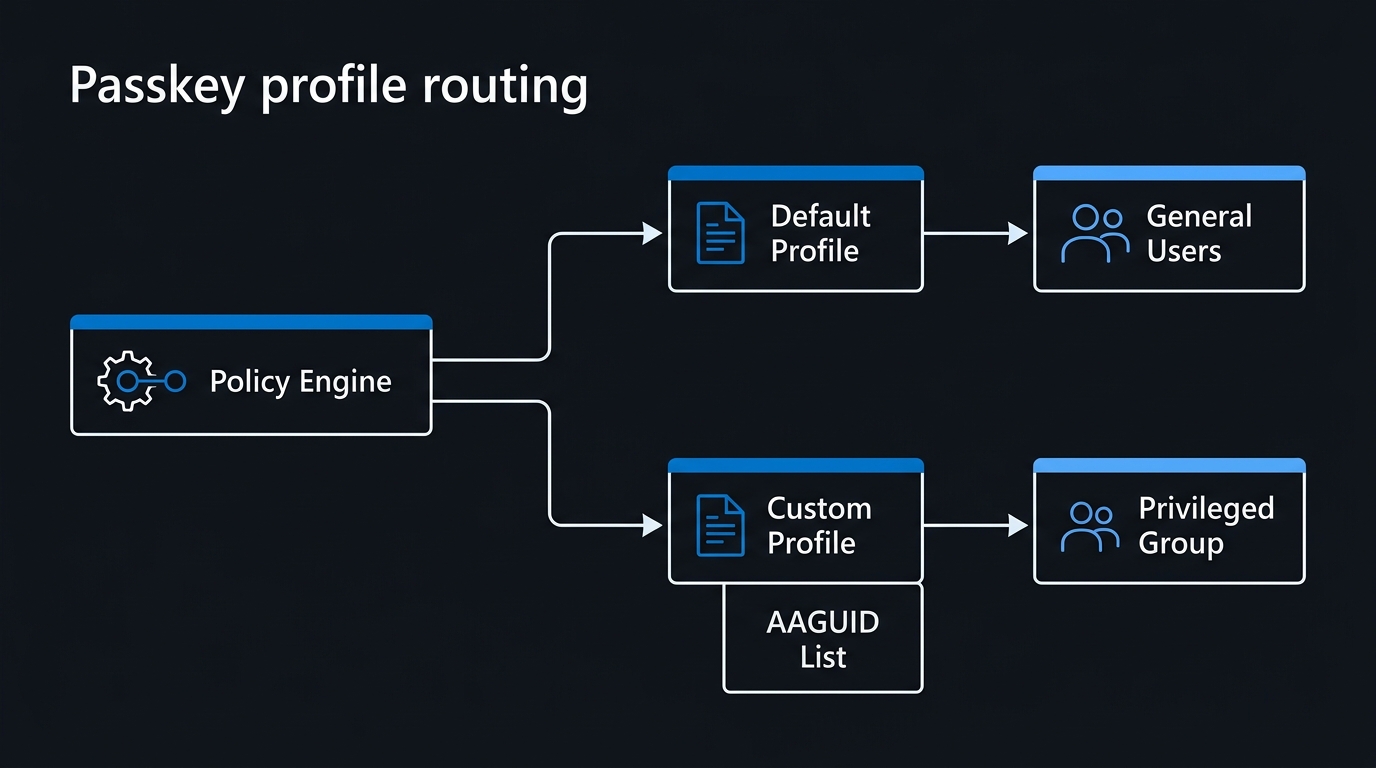
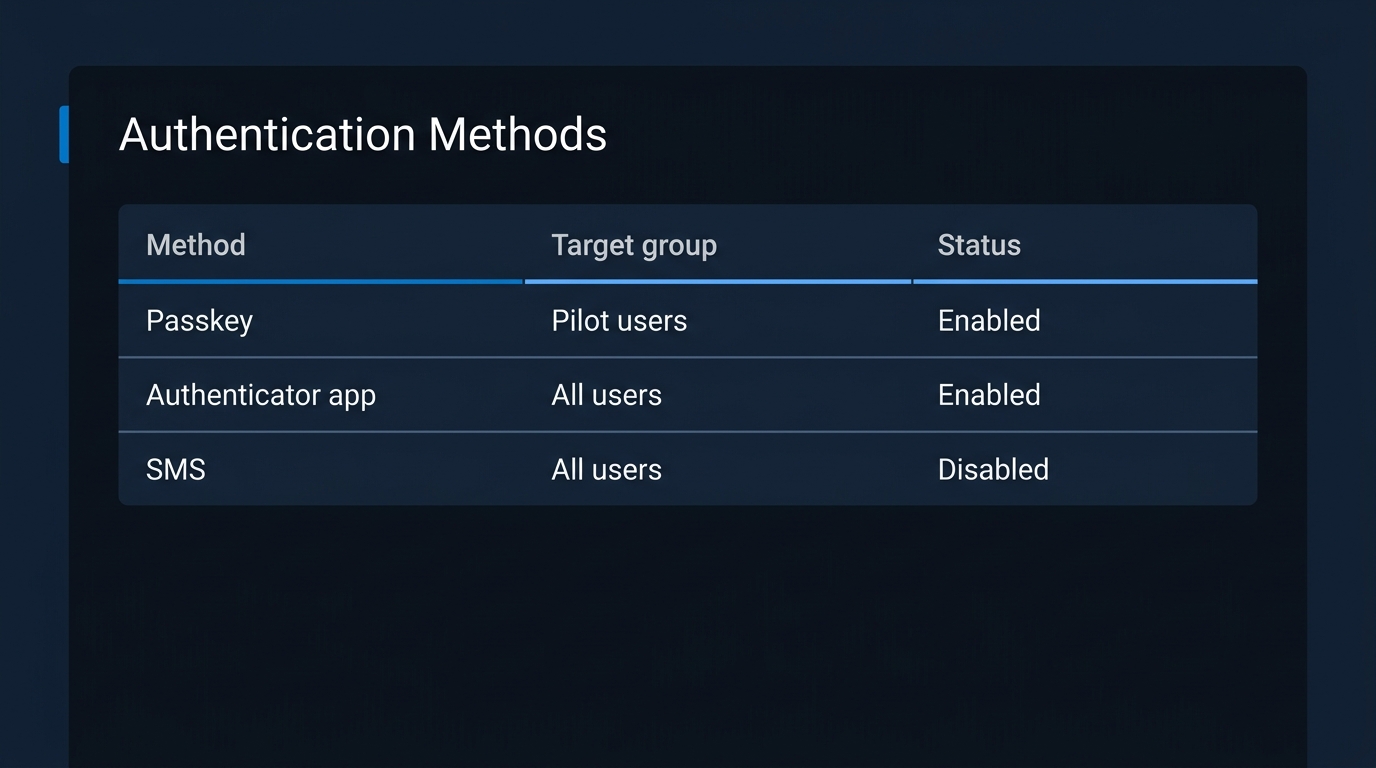
Two things replaced it. First, synced passkeys — credentials that a platform or third-party password manager replicates across a user's devices — became a supported, documented Entra ID credential rather than an unsupported edge case. Second, the single tenant-wide policy gave way to passkey profiles: multiple named policies, each targeting different groups with different rules. Existing tenant-wide FIDO2 configuration was migrated into a "Default passkey profile" so nothing broke on the way through.
Passkey strategy in Entra ID is therefore no longer a single tenant-level yes or no. It is a set of population-specific decisions, and the profile model expects you to make them explicitly.
What Changed on 1 September
The passkey default is not an isolated feature flip. It is the leading edge of Microsoft's retirement of Microsoft-provided SMS and voice MFA, and the September date is the first milestone on that timeline. On that date, passkeys became the default sign-in experience, users enabled for SMS or voice were auto-enabled for passkeys, and the registration campaign moved to Microsoft-managed state. If telephony is still live in your tenant, work through the SMS and voice retirement migration plan alongside this article — the two deadlines are the same one seen from either end.
Two failure modes hide in that. If you have deliberately disabled the registration campaign, "Microsoft managed" may not mean what you assume — verify the effective state in your tenant, not the configured one. And if your helpdesk scripts and user-facing knowledge base describe an Authenticator-first sign-in flow, that documentation becomes wrong in the same week the flow changes, with no warning to the people reading it.
The honest framing on the wider retirement is that Microsoft is retiring its own free telecom delivery, not banning SMS outright — it survives as a paid, customer-contracted channel. The practical effect on your rollout is the same either way: the passkey path is where Entra ID is steering every tenant, and the steering starts in days rather than quarters.
Passkey Profiles: The Control Surface Most Tenants Have Not Touched
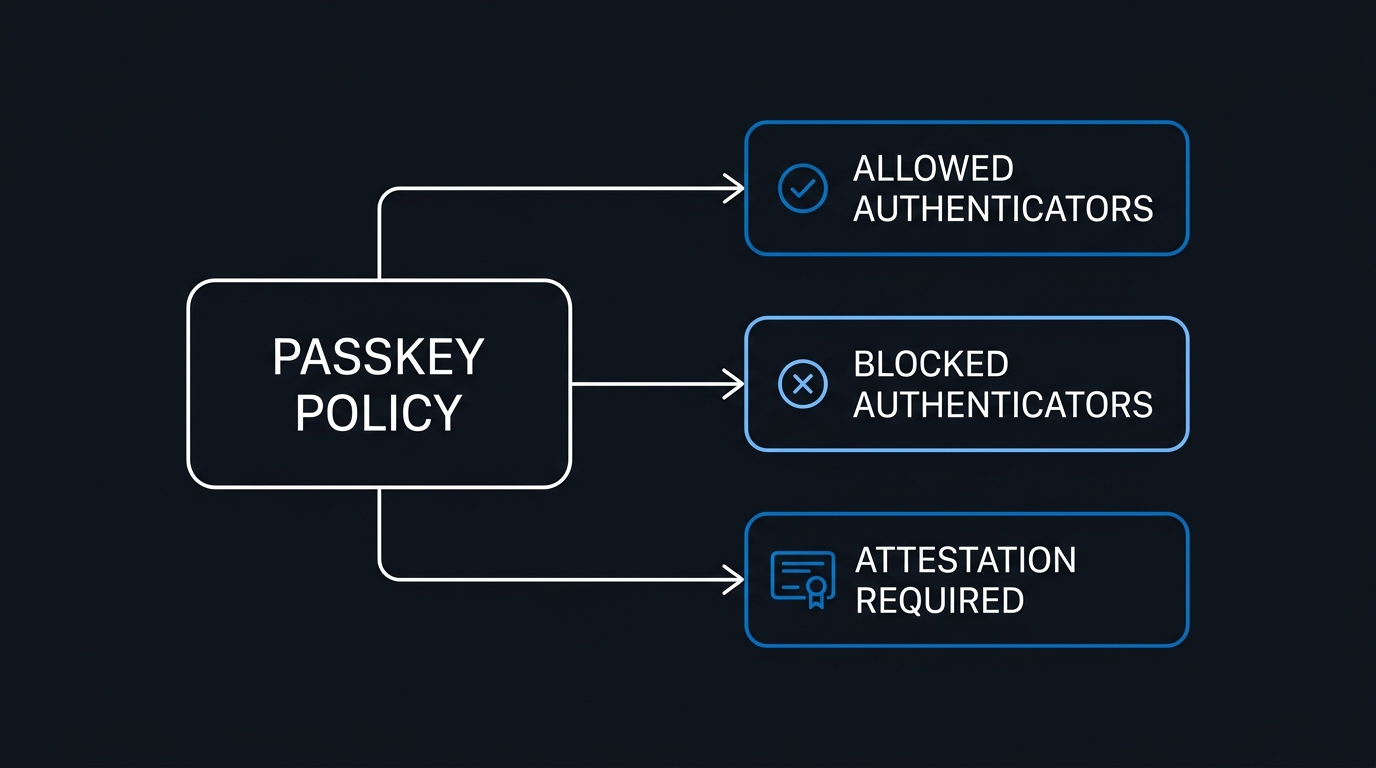
A passkey profile is a named policy you assign to groups. Each profile controls four things that used to be tenant-global or unavailable:
- Group targeting. Include and exclude groups per profile, so admins, frontline staff, and knowledge workers can be governed differently.
- Passkey type. Whether the profile permits device-bound passkeys, synced passkeys, or both.
- AAGUID allow-lists. Restrict registration to specific authenticator models by their Authenticator Attestation GUID.
- Attestation enforcement. Require the authenticator to cryptographically prove what it is at registration time.
You can create up to ten profiles per tenant, raised from three in June 2026. The policy size limit is 20 KB, and each AAGUID entry costs roughly 0.3 KB — generous until you write an allow-list covering four vendors and three form factors each across several profiles:
Passkey profile budget
----------------------
Policy size limit ............ 20 KB (tenant-wide)
Approx. cost per AAGUID ...... 0.3 KB
Rough AAGUID ceiling ......... ~60 entries across all profiles
Maximum profiles ............. 10 (raised from 3, June 2026)

Design rule: prefer broad type-based profiles with short allow-lists
over per-model allow-lists that consume the shared byte budget.
Microsoft's own recommendation is straightforward: device-bound passkeys for administrators and privileged users, synced passkeys for everyone else. That is the right default. The privileged population is small enough for hardware key logistics to be tractable, and it is the population where "which physical object holds this credential" is a question you need answered.
The Graph Surface, and a 2027 Deadline
The passkeyProfile resource is generally available in Microsoft Graph v1.0. That matters for two reasons. It means profile configuration can be managed as code and audited in version control rather than clicked into the portal. And it means the legacy tenant-wide passkey properties are now deprecated, with removal scheduled for October 2027.
Fourteen months is a long runway, but the work is not zero. Any script, Terraform module, CI job, or compliance report touching the old tenant-wide FIDO2 properties needs migrating to the profile resource. Do that inventory now, while the old properties still work.
The Attestation Trap
This is the single most likely misconfiguration in a 2026 passkey rollout, and it fails silently.
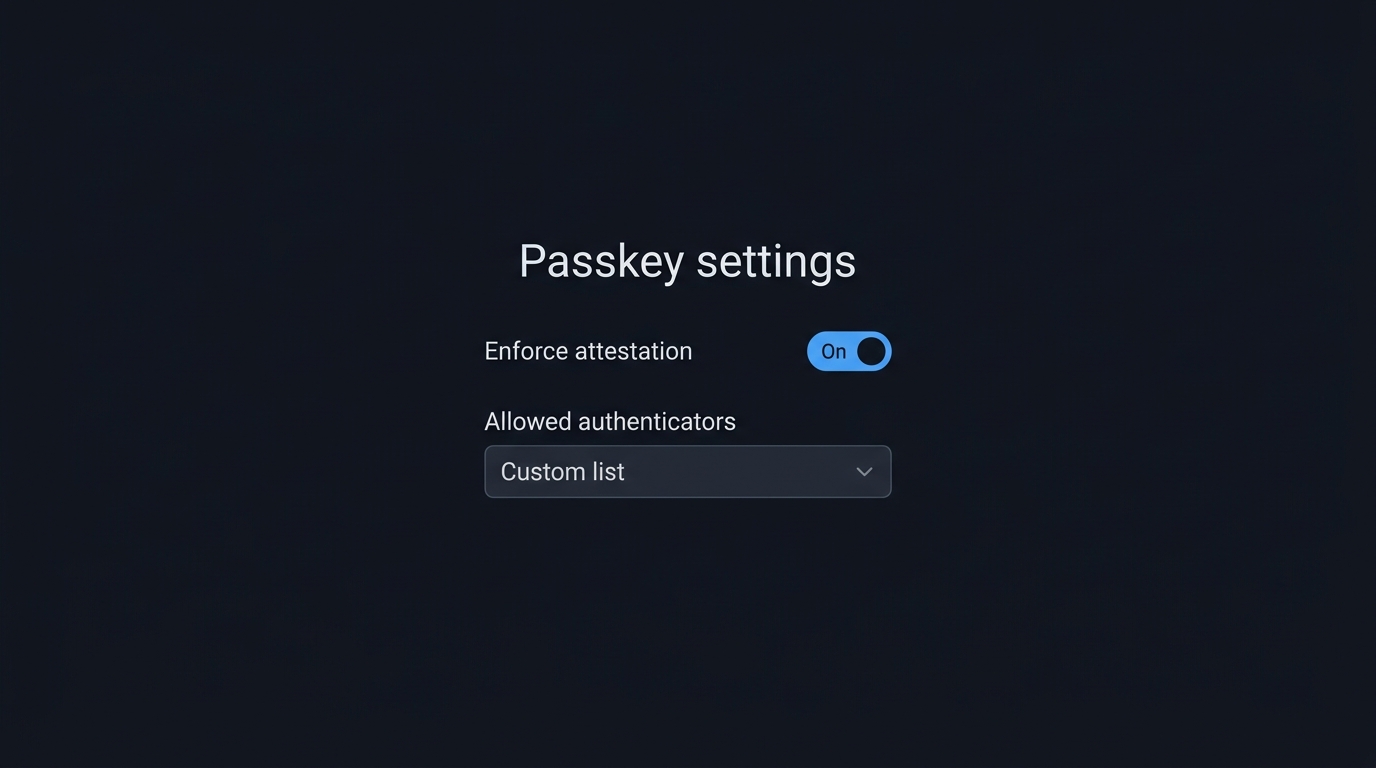
Microsoft's documentation states it plainly: "Synced passkeys don't support attestation." Attestation requires the authenticator to present a certificate proving its make and model, and a credential that a password manager replicates across devices cannot make that claim. So any profile that enforces attestation excludes synced passkeys — not with an error at configuration time, but by simply refusing registrations at the moment a user tries.
The trap is that attestation enforcement is exactly the setting a security-conscious admin turns on reflexively. You enable it, assign the profile broadly, then spend a fortnight fielding tickets from users whose iPhone or 1Password registration "just doesn't work." Nothing in the admin experience connects the two.
The fix is structural rather than clever. Attestation belongs in your device-bound, privileged-user profile, where you are enforcing specific hardware models anyway and where the AAGUID allow-list already does most of the work. Your broad synced-passkey profile should have attestation off. Keeping those concerns in separate profiles is the whole point of the profile model.
Matching Passkey Type to Population
Before you create a single profile, sort your directory into populations and decide the passkey type for each. This is a five-minute exercise that prevents most of the rework:
Read it top to bottom and stop at the first Yes:
- Privileged role? Issue a device-bound passkey, pinned by an AAGUID allow-list, with attestation ON.
- Shared or kiosk device? This is the dead end: there is no native answer today, so keep the existing method.
- Windows PC only, with no phone and no security key? Use Entra passkey on Windows — attestation is not supported there, and you must check for a Windows Hello for Business collision first.
- Everyone else gets a synced passkey, with attestation OFF.
The three passkey outcomes all converge on a registration campaign. The shared- and kiosk-device branch does not — it is the one population the flow cannot hand off.
For admin and emergency accounts specifically, see how passkeys and break glass accounts work in one Entra tenant.
The branch that traps people is the shared-device one, and it deserves the honesty: there is no Microsoft-documented native answer. Everything else routes cleanly.
Entra Passkey on Windows, and the Hello for Business Collision
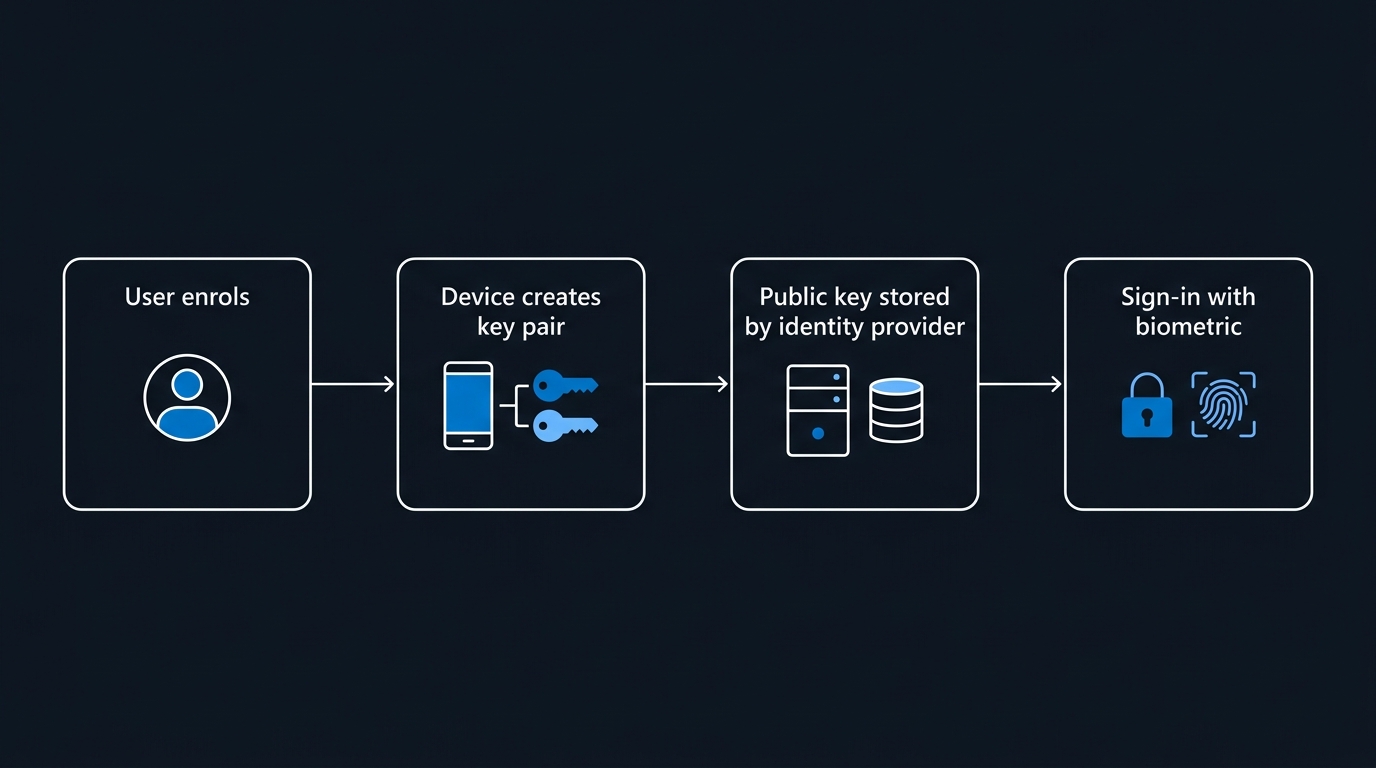
Entra passkey on Windows registers a passkey into the local Windows Hello container without requiring the device to be Entra joined or Entra registered. It needs Windows 10 or 11 with Windows Hello support, and it fits the population that has a corporate laptop, no corporate phone, and no budget for a hardware key.
Three AAGUIDs identify it — keep them handy for allow-lists and registration logs:
Entra passkey on Windows — AAGUIDs
Hardware        08987058-cadc-4b81-b6e1-30de50dcbe96
VBS Hardware    9ddd1817-af5a-4672-a2b9-3e3dd95000a9
Software        6028b017-b1d4-4c02-b4b3-afcdafc96bb2
Two constraints shape where it fits. A profile cannot enforce attestation for Entra passkey on Windows, so it does not belong in your hardened privileged-user profile. And it does not support device sign-in — it authenticates you to Entra ID, not to the Windows desktop. Windows Hello for Business remains the answer for signing in to the device itself.
Which leads to the collision that will generate tickets. Registering an Entra passkey on Windows fails if a Windows Hello for Business credential already exists for the same account in that container. The error message reports that the passkey is already registered, which sends admins hunting for a duplicate credential that does not exist. If your estate has WHfB deployed — and most hybrid estates do — this is not an edge case, it is your default state. Test it on a representative device before you target a single production group, and write the expected error into your helpdesk script in advance.
There is also a documentation observation you can verify in thirty seconds. The Learn page for Entra passkey on Windows still carries "(preview)" in its title, even though Microsoft's Message Center announced general availability earlier in 2026 — check that post in your own Message Center rather than taking a secondhand date. The synced-passkeys page, by contrast, carries no preview marker at all. The lesson is practical: Microsoft's docs lag its own announcements, so "the docs say preview" is neither a reason to hold a rollout nor a reason to assume production support. Check both surfaces.
Nudging Registration Without Blocking Anyone
Registration campaigns have quietly become the most useful rollout tool in the box. They can now nudge users toward Passkey (FIDO2), not just Microsoft Authenticator, and there is no licence requirement to use them.
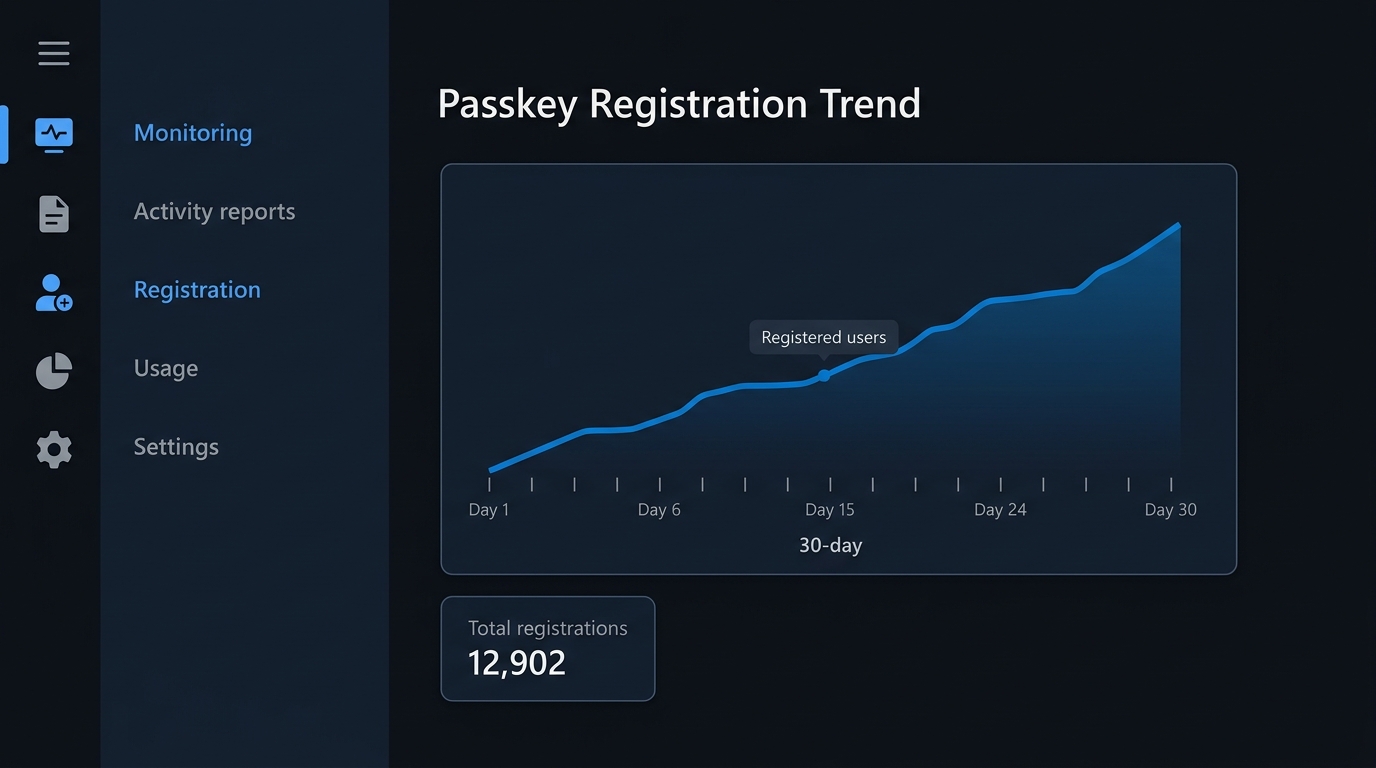
Used well, a campaign is your migration mechanism. Target it at the same groups as a passkey profile, allow generous snoozing, and watch the registration curve rather than mandating anything. Early converts tell you the flow works; repeat snoozers tell you which population has a device or process problem you have not found yet.
Read Microsoft's Numbers Correctly
You will see three figures quoted in every passkey pitch deck: 99% registration success, 14x faster sign-in (3 seconds versus 69), and 95% versus 30% sign-in success. They are real numbers from Microsoft. They are also attributed by Microsoft's own page to "hundreds of millions of consumer users of Microsoft accounts."
That is consumer MSA telemetry, not enterprise Entra ID telemetry. The populations differ in every way that matters — device ownership, device management, recovery paths, helpdesk availability, and legacy applications. No Microsoft-published enterprise-specific passkey success figures appear to exist.
Use the numbers if you like, but attribute them exactly that way. An executive who later discovers the "95% success rate" came from consumer accounts will discount everything else in the same document, and you will have spent credibility you need for the harder parts of this rollout.
Where the Friction Still Lives
This is the section your business case needs and most vendor material omits. None of these are reasons to avoid passkeys. They are the constraints you plan around.
No admin visibility into synced passkey copies. You cannot enumerate which devices hold a copy of a given synced passkey. This is an industry-wide limitation of the sync model, not an Entra ID gap, and it is the strongest argument for keeping privileged accounts on device-bound credentials.
Shared devices and frontline scenarios remain unsolved. FIDO2 binds a credential to a device one-to-one, which is at odds with a shift-based kiosk where twelve people use one terminal. There is no Microsoft-documented native fix. Vendor workarounds exist and some are credible, but treat them as vendor claims until you test them yourself.
On-premises Active Directory does not speak FIDO2. Kerberos and NTLM do not know what a passkey is. Passkeys secure the Entra ID hop; Windows Hello for Business extends phishing-resistant sign-in to hybrid-joined devices. If your plan says "passkeys everywhere," it has an AD-shaped hole in it.
Legacy protocols bypass MFA entirely. POP, IMAP, and SMTP AUTH do not support multifactor authentication at all, so no passkey policy touches them. Block them with Conditional Access as a separate workstream — and confirm the block covers what you think it does with a Conditional Access gap analysis.
Microsoft Authenticator allows one passkey per account, for Entra ID only. On Android, work profile isolation applies and will surprise anyone who has not accounted for it.
A UPN change forces re-registration. If a user's UPN changes after registration — a name change, a domain consolidation, a migration — they must delete and re-register the passkey. Any project rewriting UPNs at scale needs this in its runbook.
Not available for Azure operated by 21Vianet. If your tenancy includes China operations, that population needs a different plan.
Passkeys are not quantum-safe today. Microsoft's roadmap targets 2033 for the broader transition. Not a reason to delay — the credential you deploy in 2026 will be replaced long before then — but it belongs in the risk register rather than being quietly omitted from it.
In Flight, Not Landed
Three items are actively moving. Treat them as roadmap, not as capability you can plan a September rollout around.
B2B and guest passkeys. General availability was announced on 21 August 2026, with rollout starting October 2026. The live Known Issues section of the passkey FIDO2 how-to still says registration is not supported for guests. Both are currently true — one is the shipping state, the other the announced one. If guest access matters, watch this weekly.
Removal of the "register SMS first" prerequisite. Announced GA on 7 August 2026, with a phased rollout running from October 2026 through February 2027. It is not yet in effect, so onboarding flows that currently depend on an SMS-first step still depend on it.
Admin provisioning of FIDO2 keys on behalf of users. Graph beta only, still preview. Useful to prototype, not something to build an onboarding process on.
Your Entra ID Passkey Rollout: The Next Ninety Days
A sequence that works, in order:
- Inventory before you configure. Pull registration state per method from the Authentication methods Activity report. You need the baseline to prove movement later, and you need to know how many users are SMS-only before September auto-enables them for passkeys.
- Segment into the four populations from the decision flow: privileged, shared-device, Windows-only, everyone else. Write the list down — most rework in these projects comes from skipping this step.
- Create the privileged profile first. Device-bound only, tight AAGUID allow-list, attestation on. Small population, highest value, and it validates hardware key logistics before scale matters.
- Create the broad synced profile second — attestation off. Verify that setting explicitly rather than assuming the default. This is where the attestation trap catches people.
- Pilot Entra passkey on Windows against a WHfB device before targeting any group, so the Hello for Business collision surfaces in a test rather than a ticket queue.
- Run a registration campaign at the pilot groups, reading the snooze rate as a signal rather than a failure.
- Handle the legacy protocol and on-premises gaps in parallel. Separate workstreams; they will not resolve as a side effect of passkey adoption.
- Inventory anything reading the legacy tenant-wide passkey properties and schedule the migration to
passkeyProfileahead of the October 2027 removal.
The date on the calendar is doing the persuading here. On 1 September, passkeys become the default sign-in experience whether or not you have designed profiles for your populations. Tenants that have segmented their users, put attestation in the right profile, and tested the Windows Hello collision will experience that as a milestone they already passed. Everyone else will experience it as a support incident with a date attached. The work between those two outcomes is roughly a week, and you have less than that.
Related Articles
- Microsoft Is Retiring SMS and Voice MFA: Your Entra ID Migration Plan
- Microsoft Entra Tenant Security Hardening: The 2026 Checklist
- Microsoft Entra Connect 2.6.79.0: Apply the Security Fixes Now — Plus FIDO2 Sign-In for the Wizard
- Entra ID Privileged Identity Management: Rolling Out Just-in-Time Admin Access
- Conditional Access Gap Analysis: Finding and Fixing Coverage Holes with What-If
- Microsoft 365 Reporting in 2026: Usage Reports, Graph API, and Entra Logs

Leave a Reply