Somebody on your platform team stood up an LLM proxy so the app developers would stop pasting provider keys into .env files. It worked, and nobody stopped to ask what security an AI gateway like that actually needs. One endpoint, one place to set budgets, one place to swap models. Six months later that container holds every model-provider key your organisation owns, a PostgreSQL connection string, a table of virtual keys issued to a dozen teams, and unrestricted outbound access to the internet — because it has to reach the providers.
Nobody wrote it down as a Tier-0 asset. It has no change-control record, no private endpoint, and a public FQDN that resolves from anywhere. It is patched when someone remembers.
On 26 August 2026, Microsoft published telemetry showing what happens next. In When AI infrastructure becomes the target, researchers Yash Gund and Sumith Maniath documented intrusions into three internet-exposed open-source AI workloads — a LiteLLM gateway, a RAGFlow deployment, and a Kestra orchestration environment. The execution paths differed. The objective did not. Microsoft's framing is the sentence worth carrying into your next architecture review: "Across these cases, attackers treated AI infrastructure as a control plane where credential theft, host compromise, and downstream data access can converge."
The Asset You Classified Wrong
A gateway is not an application. It is a credential concentrator sitting on a database with broad egress, and each of those three properties is a separate reason it belongs in your highest tier.
Think about what one shell on that host actually reaches. Not the gateway's own data — the gateway barely has any. It reaches everything the gateway was built to reach on someone else's behalf.
The interesting failure is the second hop. Compromising a gateway does not just leak that gateway's keys — it leaks the provider keys, which are valid outside your network, on infrastructure you do not control, against budgets you are billed for. There is no session to revoke and no conditional access policy in the path. The same logic applies to a RAG platform holding the retrieval corpus, and to an orchestrator whose whole job is executing arbitrary code with production credentials attached.
Microsoft's follow-up post on securing edge AI in customer-owned environments, published 4 September 2026, generalises this into four boundaries worth naming in a design doc: attestation of the runtime, provenance of the model artifact, deterministic mediation of actions, and evidence-gated release of secrets. Its sharpest line is a design rule you can apply today: "Model output should recommend actions, not authorize them." A gateway that hands a raw provider key to whatever calls it has already lost that argument.
Three Doors Into the Same Room
Microsoft's telemetry is specific about how each product was entered. That specificity matters, because the mitigation for each is different even though the outcome converged.
LiteLLM: gateway runtime to shell
The chain combined CVE-2026-42271 — LiteLLM's MCP preview endpoints (POST /mcp-rest/test/connection and POST /mcp-rest/test/tools/list) accepting a full stdio server configuration including command, args and env, spawning that command as a subprocess with the proxy's privileges, gated only by a valid proxy API key with no role check — with CVE-2026-48710, a Starlette flaw where an unvalidated Host header let request.url diverge from the real path, bypassing middleware that made decisions on request.url. Authenticated command execution plus an auth-check bypass equals unauthenticated RCE.
From there: read /proc/1/environ filtering for master keys, API keys, tokens and passwords; parse DATABASE_URL, connect to the Azure PostgreSQL backend, and dump the LiteLLM_ProxyModelTable and LiteLLM_VerificationToken records — model configuration and every proxy-issued virtual key. Persistence went into SSH authorized_keys on service accounts, with immutable file attributes set. Cryptomining followed, including loading the Linux MSR module to tune RandomX and clearing competing miners out of crontab.
RAGFlow: reconnaissance, then a credential-stealing hook
Microsoft describes SSRF-style probing followed days later by remote code execution, with CVE attribution left uncertain across several candidates. The post-exploitation is what should worry you. Rather than smash-and-grab, the actor created a hidden runtime hook and modified startup and import paths so it auto-loaded, then wrapped the tenant LLM configuration flow to capture "provider type, model name, API key material, and related endpoint metadata" as users configured new model settings — harvesting OpenAI, Azure, Anthropic and Gemini credentials on an ongoing basis and shipping them to a separate command-and-control endpoint.
That is a keylogger for provider credentials. Patching afterwards does not remove it, and rotating a key only refills the collector.
Kestra: workflow execution as the shell
CVE-2026-49869 is a CVSS 10.0 authentication bypass in Kestra OSS before 1.0.45 and 1.3.21. AuthenticationFilter used request.getPath().endsWith("/configs") to exempt the public config endpoint from basic auth — a suffix match rather than an exact match, so any API path whose last segment is configs skipped authentication entirely. Because Kestra ships script-execution plugins enabled by default, that becomes unauthenticated RCE as root inside the container.
The attacker defined a workflow using the Process runner, triggered worker-side shell execution, then found a mounted Docker socket and enumerated sibling containers' Config.Env arrays — exposing, in Microsoft's words, "cloud keys, database passwords, API tokens, or internal service endpoints". XMRig went on the host; harvested output was stashed through Kestra's own key-value interface.
CISA has since added the exploited flaws to the Known Exploited Vulnerabilities catalog. Kestra's CVE-2026-49869 was added 2 September 2026 with a remediation due date of 5 September — a three-day clock, which is as loud as CISA gets.
Inventory Before Theory
You cannot harden what you have not found, and these workloads are frequently not in your CMDB because a developer deployed them. Start with what is reachable, not what is documented.
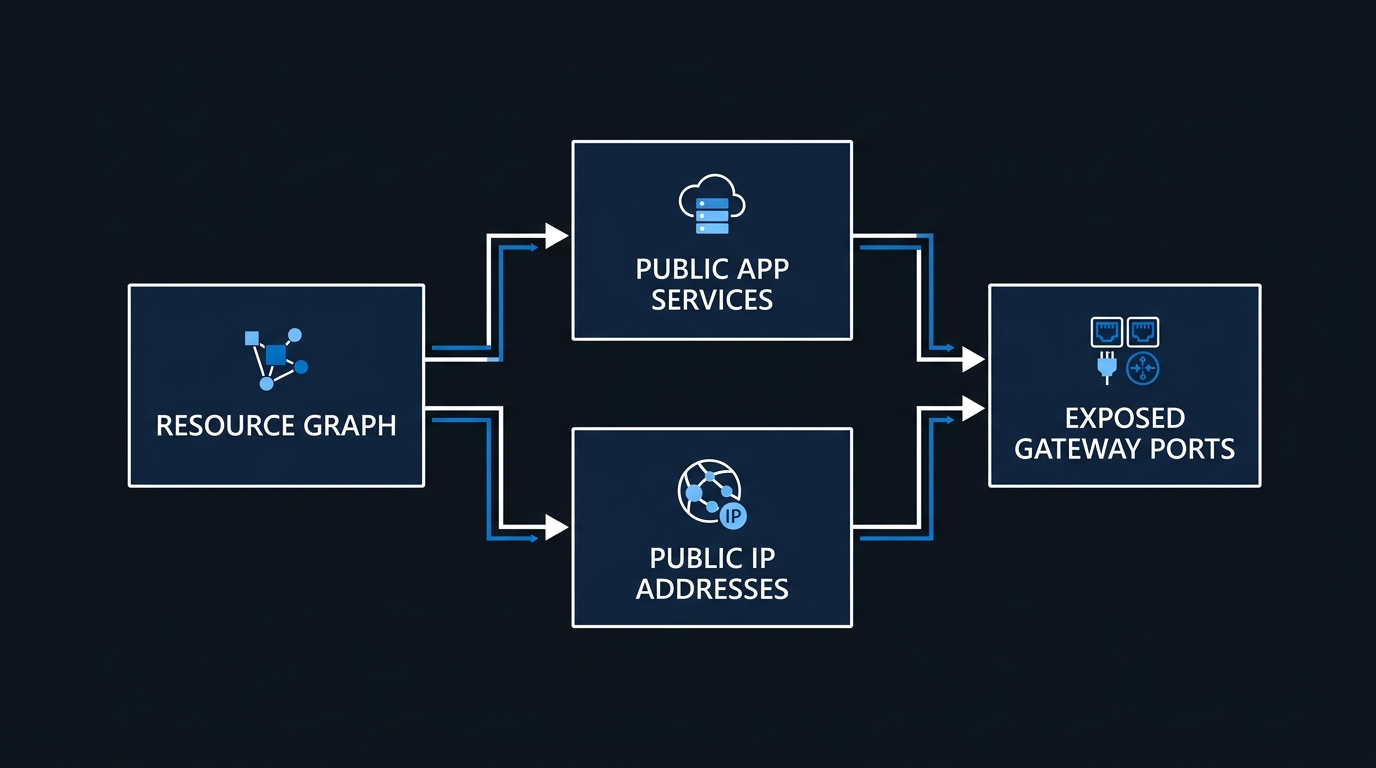
Azure Resource Graph is the fastest sweep across every subscription you can read. Install the extension once, then run the queries with az graph query:
# One-time: add the Resource Graph extension, then confirm your subscription scope
az extension add --name resource-graph
az account list --query "[].{name:name, id:id, state:state}" -o table
The first pass finds inbound NSG rules that admit the internet to the ports these products use by default — 4000 for the LiteLLM proxy, 8080 for Kestra, and 9380 for RAGFlow's HTTP API (SVR_HTTP_PORT), alongside 9381 for its admin service and 80/443 for its web front end:
Resources
| where type =~ 'microsoft.network/networksecuritygroups'
| mv-expand rule = properties.securityRules
| extend access    = tostring(rule.properties.access),
         direction = tostring(rule.properties.direction),
         source    = tostring(rule.properties.sourceAddressPrefix),
         ports     = tostring(rule.properties.destinationPortRange)
| where direction == 'Inbound' and access == 'Allow'
| where source in ('*', '0.0.0.0/0', 'Internet', 'any')
| where ports in ('*', '4000', '8080', '9380', '9381') or ports contains '-'
| project nsg = name, resourceGroup, subscriptionId,
          rule = tostring(rule.name), source, ports
| order by nsg asc
The second pass finds the hosting surfaces themselves — Container Apps with external ingress, and App Services that have not had public network access disabled. Container Apps is where these images most often land, because the Docker Compose files ship ready to run:
Resources
| where type =~ 'microsoft.app/containerapps'
| extend ingress = properties.configuration.ingress
| where tobool(ingress.external) == true
| extend image = tostring(properties.template.containers[0].image)
| project name, resourceGroup, subscriptionId,
          targetPort = toint(ingress.targetPort),
          fqdn = tostring(ingress.fqdn), image
| union (
    Resources
    | where type =~ 'microsoft.web/sites'
    | extend publicAccess = tostring(properties.publicNetworkAccess)
    | where publicAccess != 'Disabled'
    | project name, resourceGroup, subscriptionId,
              fqdn = tostring(properties.defaultHostName), image = kind
)
| order by name asc
Grep the image column for litellm, ragflow, kestra, infiniflow and berriai. For virtual machines, pivot off microsoft.network/publicipaddresses where properties.ipAddress is non-empty, then confirm what is listening rather than guessing from the NSG.
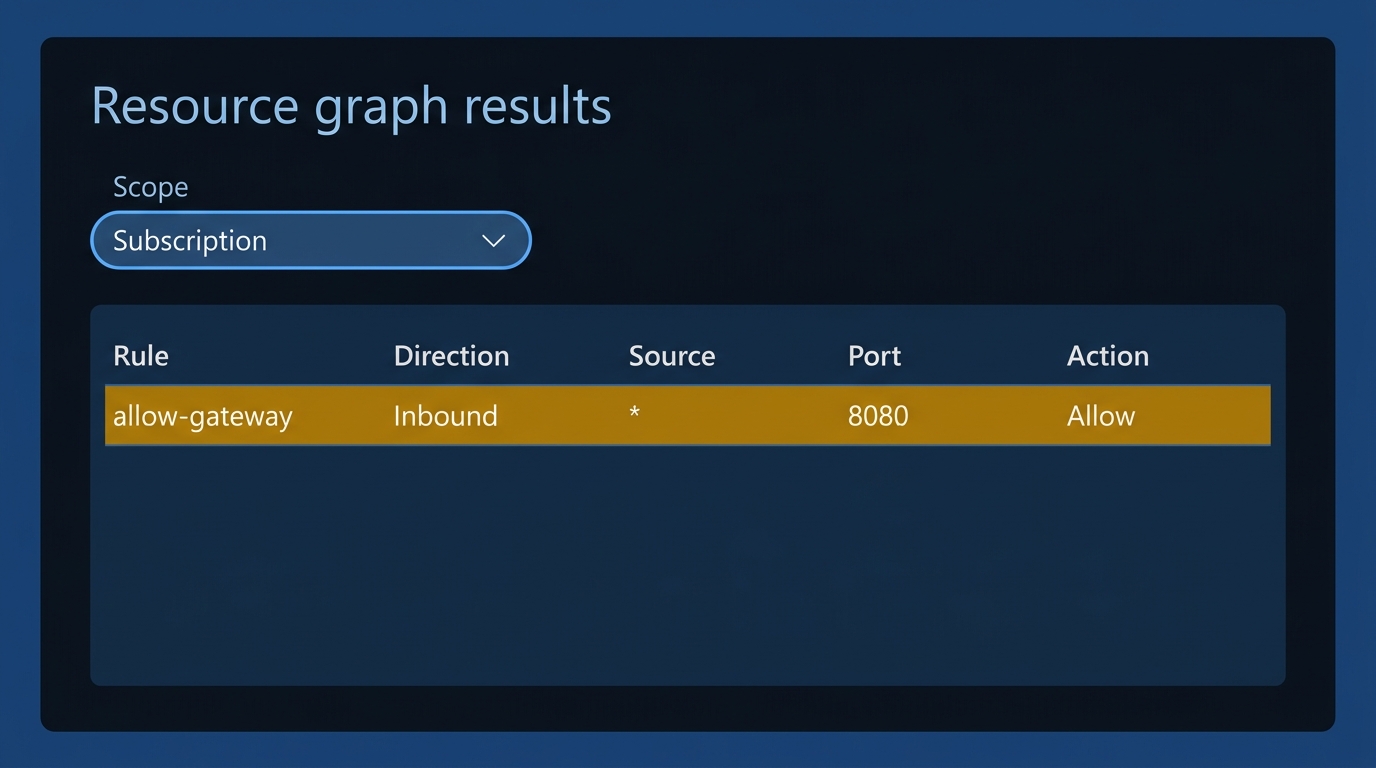
For anything you own that you did not deploy, Defender External Attack Surface Management approaches the same problem from outside the tenant boundary, which is the only view that catches the deployment in the subscription nobody told you about. Pair it with Defender for Cloud on the hosts themselves — Microsoft's own remediation guidance calls for exactly that.
Isolate, Then Authenticate: What AI Gateway Security Actually Requires
Microsoft's Tier-0 recommendation is blunt: "Keep LiteLLM and similar proxies patched, require authentication across API and UI surfaces, restrict administrative and management ports, and do not expose management interfaces directly to the internet."
Network isolation comes first because it is the only control that holds when the application-layer auth turns out to be a suffix match. That ordering — network isolation before you trust the login page — is what AI gateway security means in practice, not a checkbox on a launch form. Put the gateway behind VNet integration, put its database behind a private endpoint, and if the gateway genuinely must be reachable from outside, front it with Application Gateway or Front Door running a WAF, and put Entra ID in the path via App Service built-in authentication rather than trusting the product's own login page. The pattern is the same one you would apply to a model endpoint — the reasoning in our guide to securing Azure OpenAI for the enterprise transfers directly to the proxy in front of it.
Then fix the credential model per product.
LiteLLM. Set LITELLM_SALT_KEY at initial deployment and never change it — stored credentials are encrypted with it and there is no in-place migration. Issue per-team virtual keys with budgets and expiry instead of handing anyone the master key, and stop the UI returning it:
# config.yaml — master key is an admin credential, not a runtime credential
general_settings:
  master_key: os.environ/LITELLM_MASTER_KEY   # from Key Vault, never inline
  disable_master_key_return: true

litellm_settings:
  upperbound_key_generate_params:
    max_budget: 100          # USD ceiling no virtual key may exceed
    duration: "30d"          # no key outlives a month
# Per-team key, scoped to two models, budgeted and time-boxed
curl -sS 'https://litellm.internal.contoso.com/key/generate' \
  --header "Authorization: Bearer $LITELLM_MASTER_KEY" \
  --header 'Content-Type: application/json' \
  --data-raw '{"models":["gpt-4o","gpt-4o-mini"],"max_budget":25,"duration":"30d","metadata":{"team":"payments"}}'
Kestra. Basic authentication has been mandatory in Kestra OSS since 0.24.0, but a required setting is not a configured one. Set it in the configuration file rather than the setup page, because "the configuration file always takes precedence over values set from the Setup page" (Kestra basic-auth troubleshooting), and move secrets out of environment variables into Key Vault:
kestra:
  server:
    basic-auth:
      username: platform-admin@contoso.com
      password: "{{ from Key Vault, injected at deploy time }}"
  secret:
    type: azure-key-vault
  encryption:
    secret-key: BASE64_32_BYTES   # openssl rand -base64 32
While you are there, unmount /var/run/docker.sock from the Kestra worker unless a workflow genuinely requires it. That single mount is what turned a shell into a sweep of every sibling container's environment.
RAGFlow. Two defaults do most of the damage. REGISTER_ENABLED=1 ships enabled, so anyone who reaches an exposed instance can create an account — the login page is not an access control. And the shipped docker/.env carries literal default passwords (infini_rag_flow for MySQL, MinIO and Elasticsearch) under a comment that reads "SECURITY WARNING: DO NOT DEPLOY WITH DEFAULT PASSWORDS". Set REGISTER_ENABLED=0 after provisioning your users and replace every credential in that file, per RAGFlow's own configuration reference.
Rotation Has an Order
If a gateway was exposed, assume the keys are gone. Rotation done in the wrong order either misses credentials or locks you out mid-incident.
Provider keys come before gateway keys, and both come after containment. Rotating a provider key while the RAGFlow hook is still resident just donates the new one. Microsoft's egress guidance is the containment step: "Use deny-by-default egress rules and allowlist only required model-provider and service endpoints. Block direct connections to raw-IP hosts and non-standard ports."
# Step 1 — contain. Deny-by-default egress from the gateway subnet,
# with a single higher-priority allow for the provider endpoints you actually use.
az network nsg rule create -g rg-ai-platform --nsg-name nsg-ai-gateway \
  -n allow-model-providers --priority 200 --direction Outbound --access Allow \
  --protocol Tcp --destination-port-ranges 443 \
  --destination-address-prefixes AzureCognitiveServices AzureKeyVault

az network nsg rule create -g rg-ai-platform --nsg-name nsg-ai-gateway \
  -n deny-all-egress --priority 4000 --direction Outbound --access Deny \
  --protocol '*' --destination-port-ranges '*' --destination-address-prefixes '*'

# Step 3 — block a compromised virtual key at the proxy before reissuing
curl -sS -X POST 'https://litellm.internal.contoso.com/key/block' \
  -H "Authorization: Bearer $LITELLM_MASTER_KEY" \
  -H 'Content-Type: application/json' \
  -d '{"key": "sk-COMPROMISED-KEY"}'

# Steps 5-6 — new master key into Key Vault, then repoint the app setting
az keyvault secret set --vault-name kv-ai-platform \
  --name litellm-master-key --value "sk-$(openssl rand -hex 24)"

az webapp config appsettings set -g rg-ai-platform -n app-litellm --settings \
  LITELLM_MASTER_KEY='@Microsoft.KeyVault(SecretUri=https://kv-ai-platform.vault.azure.net/secrets/litellm-master-key/)'
Note the shape of step 5: the value goes into Key Vault and the app reads it through a Key Vault reference, so the secret never sits in an app setting or a .env on disk. If you are not already doing this everywhere, our walkthrough on storing and retrieving secrets the right way covers the managed identity plumbing.
One caveat that will bite you: if LITELLM_SALT_KEY is set, do not rotate the master key with POST /key/regenerate. LiteLLM's documentation is explicit that the regenerate path re-encrypts under the new master key while the proxy keeps decrypting with the salt key, which makes your stored provider credentials unreadable. With a salt key set, you replace the environment variable and restart every instance. Virtual keys are stored hashed rather than encrypted, so they survive either rotation.
Detections That Earn Their Keep
Microsoft's detection logic is worth restating because it generalises: "Prioritize events where a gateway process launches a shell, downloader, interpreter, or system utility." A proxy has no legitimate reason to spawn bash. Start there, then add the credential-access and persistence signals.
// Gateway or orchestrator process spawning a shell, interpreter or downloader
let AiRuntimes = dynamic(["litellm","uvicorn","gunicorn","ragflow","java","python3"]);
let SuspiciousChildren = dynamic(["bash","sh","dash","curl","wget","python3","perl","chattr","crontab"]);
DeviceProcessEvents
| where Timestamp > ago(14d)
| where InitiatingProcessFileName has_any (AiRuntimes)
| where FileName in~ (SuspiciousChildren)
| where ProcessCommandLine has_any ("/proc/1/environ", "DATABASE_URL", "authorized_keys",
        "LiteLLM_VerificationToken", "LiteLLM_ProxyModelTable", "msr", "xmrig", "c3pool")
     or ProcessCommandLine matches regex @"https?://\d{1,3}(\.\d{1,3}){3}"
| project Timestamp, DeviceName, AccountName, InitiatingProcessFileName,
          FileName, ProcessCommandLine, InitiatingProcessCommandLine
| order by Timestamp desc
The second query watches the two things that outlive a patch — persistence on the host and egress to somewhere that is not a model provider:
// Persistence edits and outbound sessions from AI workload hosts
let AiHosts = DeviceInfo
    | where DeviceName has_any ("litellm","ragflow","kestra","ai-gw")
    | distinct DeviceId;
union
( DeviceFileEvents
  | where DeviceId in (AiHosts)
  | where FolderPath has_any (".ssh/authorized_keys", "/etc/cron.d/", "/var/spool/cron/")
  | project Timestamp, DeviceName, Signal = "persistence-file",
            Detail = strcat(ActionType, " ", FolderPath, FileName), InitiatingProcessCommandLine ),
( DeviceNetworkEvents
  | where DeviceId in (AiHosts)
  | where RemotePort !in (443, 80)
      or RemoteUrl matches regex @"^\d{1,3}(\.\d{1,3}){3}$"
      or RemoteUrl has_any ("sslip.io", "nip.io", "c3pool", "oast")
  | project Timestamp, DeviceName, Signal = "anomalous-egress",
            Detail = strcat(RemoteUrl, ":", RemotePort), InitiatingProcessCommandLine )
| order by Timestamp desc
Both run in Defender XDR advanced hunting; the Log Analytics equivalents work if your Linux telemetry lands in a workspace instead. Add two more that are cheaper than they look: alert on any new LiteLLM virtual key created outside your provisioning pipeline, and alert on PostgreSQL logins from the gateway's identity outside business hours. The first catches an attacker minting themselves budget; the second catches the credential dump.
The Excuses That Keep Gateways Exposed
"It's behind a login page." Kestra's CVE-2026-49869 was a login page — one whose filter did a suffix match. RAGFlow's login page happily lets anyone register by default. A login page written by the same team that wrote the feature is not an authentication boundary. Entra ID in front of it is.
Secrets in .env on the host. Microsoft's guidance says to "store upstream API keys in a managed secret store rather than process environment variables," and the LiteLLM intrusion is why: the first action after shell access was reading /proc/1/environ. An environment variable is a file that every process on the host can read. If you have accepted that risk because "it's only reachable internally," re-read your Resource Graph output.
Dev tooling outside change control. Every one of these products was almost certainly deployed as an experiment. The experiment then accumulated production credentials without ever being reclassified, so it inherited none of the patching cadence, none of the network controls, and none of the monitoring that its blast radius warranted. The fix is administrative, not technical: if a workload holds credentials for other systems, it enters change control regardless of who deployed it or why.
Compute abuse as the quiet outcome. Cryptomining looks like the least serious finding in these reports. It is actually the tell — it means the actor had persistent code execution and chose to monetise it. The next actor with the same access will make a different choice, and the credentials on that host are the ones that make it worth their while.
Treat It Like a Domain Controller
There is a single question that resolves most of the design arguments here. Ask it of every AI workload you run: if someone had a shell on this host for an hour, what could they authenticate as?
For a gateway holding provider keys, virtual keys and a database string, the honest answer is "most of our AI estate, plus whatever those provider keys can reach, on someone else's infrastructure, without triggering a single sign-in log we own." Answering that question honestly, for every workload you run, is most of what AI gateway security is. That answer puts the workload in the same tier as a domain controller or a CI runner — which is the tier that gets private endpoints, deny-by-default egress, managed secret storage, an owner, and a patch clock measured in days.
CISA gave Kestra operators three days. Your inventory query takes about five minutes. Run it before you finish reading the rest of your backlog.

Leave a Reply