
Executive Snapshot
| Plan | List price (per user/month, annual commit) | Seat cap | Best for | Core differentiator |
|---|---|---|---|---|
| Microsoft 365 Business Premium | $22.00 | 300 users | SMBs, single-location or lightly distributed orgs | Full productivity + Intune + Defender for Business, SMB pricing |
| Microsoft 365 E3 | $39.00 | None | Mid-market and enterprise, standard security posture | Unlimited scale, Windows Enterprise, base compliance |
| Microsoft 365 E5 | $60.00 | None | Regulated, security-mature, or Teams-Phone-heavy orgs | Full Defender XDR suite, Purview compliance, Entra ID P2, Teams Phone, Security Copilot allocation |
Prices reflect Microsoft's July 1, 2026 commercial price list for annual commitment, monthly payment plans (Business Premium's per-seat number rises to roughly $26.40/user/month if you pay month-to-month with no annual commitment). Always cross-check against your own Microsoft 365 admin center or CSP quote before budgeting — regional pricing, currency, and negotiated enterprise agreement discounts all move the real number.
TL;DR
- Business Premium ($22/user/month) is the best value in the entire Microsoft 365 lineup for orgs under 300 seats — it includes Intune, Defender for Business, and Entra ID P1-equivalent conditional access that used to require E3 or E5.
- E3 ($39/user/month) is the default enterprise floor — no seat cap, Windows 11 Enterprise upgrade rights, and Purview data loss prevention basics, but it lacks advanced threat protection and premium compliance tooling.
- E5 ($60/user/month) exists for organizations that need Defender XDR, Purview Insider Risk Management, Entra ID P2, or Teams Phone System — buying it purely for Copilot access is almost always the wrong reason.
- The E3 + point-solution add-on path frequently beats a blanket E5 upgrade on cost, but only if you actually need 2-3 of E5's premium modules — needing just one usually tips the math back toward add-ons.
- License waste, not plan choice, is the biggest line-item most IT teams can cut this quarter — unused and underused licenses commonly run 10-20% of a tenant's total M365 spend.
Introduction
Every Microsoft 365 renewal conversation eventually turns into the same argument: do we stick with what we have, downgrade to save money, or upgrade because the CSP rep says E5 "pays for itself" in security value? The honest answer depends on seat count, regulatory obligations, and how much of the premium tier your organization will actually use versus what will sit dormant in an admin console nobody audits.
This guide breaks down the three plans IT admins compare most — Business Premium, E3, and E5 — using Microsoft's current 2026 price list, the actual feature deltas between them, and a decision framework built around the questions that matter: how many seats, how sensitive is the data, and does the business need voice and advanced threat protection or just table-stakes productivity and device management.
We'll also cover the add-on-versus-upgrade calculus for E5 Security and Copilot, walk through a real cost model for a 150-seat company, and close with the PowerShell and Graph techniques that catch the license waste hiding in most tenants. Pricing on Microsoft licensing changes often — treat every dollar figure here as accurate as of mid-2026 and verify against your admin center or CSP quote before signing a renewal.
The Plan Landscape: Where Business, E3, and E5 Actually Sit
Microsoft splits its commercial licensing into two families that IT pros frequently conflate: the Business family (Business Basic, Standard, Premium) capped at 300 users per tenant, and the Enterprise family (E1, E3, E5) with no seat limit — Microsoft's own plan comparison and the Office 365 platform service description are the authoritative feature matrices. They are not simply "small plan" and "big plan" — the feature sets diverge in ways that matter operationally.
- Business Basic / Standard are productivity-only tiers (web/desktop Office apps, Exchange, Teams, SharePoint) with no meaningful device management or advanced security. Most IT-managed organizations should treat these as a floor, not a target.
- Business Premium adds the security and management layer that used to be enterprise-exclusive: Intune for MDM/MAM, Defender for Business (EDR), Entra ID P1-equivalent conditional access, and Autopilot. This is the plan that changed the SMB calculus over the last several licensing cycles.
- E1 is the enterprise-scale productivity floor (no desktop Office apps) — rarely the right call for a knowledge-worker org; it exists mainly for frontline or kiosk-style accounts paired with F-series licenses.
- E3 is the enterprise productivity-plus-baseline-security standard: desktop Office apps, Windows 11 Enterprise upgrade rights, Purview basic DLP and retention, and Defender for Office 365 Plan 1 (added as part of the 2026 pricing update).
- E5 is the all-in tier: Defender XDR across endpoint, identity, cloud apps, and email; Purview Insider Risk Management, eDiscovery Premium, and Communication Compliance; Entra ID P2 with identity protection and PIM; Teams Phone System; Power BI Pro; and, as of the Ignite 2025 announcement, a Security Copilot compute-unit allocation bundled at no extra charge.
The practical decision almost never comes down to "which plan has more features" — it comes down to seat count and which of E5's premium modules you'd actually turn on.
Business Premium Deep-Dive: The 300-Seat Ceiling
Microsoft 365 Business Premium (list: $22/user/month annual commit) is frequently the best-value SKU in the entire Microsoft catalog for organizations that qualify. It bundles:
- Full desktop Office apps (Word, Excel, PowerPoint, Outlook, OneNote, Access on Windows)
- Exchange Online, SharePoint, OneDrive, Teams
- Intune for mobile device management and mobile application management
- Defender for Business — enterprise-grade endpoint detection and response, previously an E5-only capability, now available at SMB pricing
- Entra ID P1 capabilities: conditional access policies, self-service password reset, group-based access
- Azure Information Protection Plan 1 for basic data classification and encryption
The catch is the 300-user cap per tenant — hard-enforced, not a soft recommendation. If your organization crosses that threshold, or expects to within the plan's renewal cycle, don't buy Business Premium seats now and plan to migrate later; that migration (moving identities, re-licensing, re-validating Conditional Access and Intune policies) is disruptive enough that it's worth forecasting headcount growth before committing.
Business Premium is also a poor fit for organizations with:
- Regulatory obligations requiring Purview's advanced compliance tooling (Insider Risk Management, Communication Compliance, eDiscovery Premium)
- A need for Teams Phone System or PSTN calling plans natively bundled (Business Premium doesn't include Teams Phone)
- Multiple subsidiaries or M&A activity that will push the combined tenant past 300 seats
For everyone else under the cap, Business Premium is the plan to start from — you're getting E3-adjacent security tooling at roughly half the per-seat price.
E3 Deep-Dive: The Enterprise Floor
E3 (list: $39/user/month, up from $36 pre-July-2026) is what most mid-market and enterprise organizations default to once they outgrow the 300-seat cap or need capabilities Business Premium doesn't offer. Key inclusions:
- Windows 11 Enterprise upgrade rights (not relevant if you're managing BYOD or don't own the OS licenses already)
- Purview: basic data loss prevention, retention policies and labels, basic audit
- Defender for Office 365 Plan 1 (anti-phishing, Safe Links, Safe Attachments) — added to E3 as part of the July 2026 pricing update, closing a gap that previously pushed many orgs to buy this as a standalone add-on
- Azure Information Protection Plan 1
- No seat cap, no tenant-size ceiling
What E3 does not include that trips up admins who assume "enterprise" means "everything": no Defender for Endpoint (EDR), no Defender for Identity, no Entra ID P2 (no Identity Protection risk-based policies, no Privileged Identity Management), no Purview Insider Risk Management or Communication Compliance, and no Teams Phone System.
E3 is the right call when your security posture is "solid basics" — MFA, conditional access, DLP on sensitive data types, phishing protection — but you don't have a compliance mandate (HIPAA, FedRAMP, financial services regulation, cyber insurance riders) forcing advanced threat protection or insider risk monitoring.
E5 Deep-Dive: Security, Compliance, and Voice in One SKU
E5 (list: $60/user/month, up from $57) is the tier built for organizations where the E3-to-E5 gap maps directly to a real requirement, not a nice-to-have. The delta over E3 breaks into three buckets:
Security: Defender for Endpoint (EDR/XDR), Defender for Identity (on-prem and hybrid AD attack detection), Defender for Cloud Apps (CASB), Entra ID P2 (Identity Protection, Privileged Identity Management, access reviews), and — new for 2026 — a bundled Security Copilot compute-unit allocation (400 SCUs per month per 1,000 licensed E5 users, up to a 10,000 SCU/month cap, with overage throttled rather than billed).
Compliance: Purview Insider Risk Management, Communication Compliance, eDiscovery Premium, Advanced Audit, Customer Key, and Records Management — the tooling regulated industries (finance, healthcare, legal, government contractors) typically need to satisfy audit and e-discovery obligations.
Voice: Teams Phone System with calling plan add-on options, meaning E5 is the only tier of the three that gets you toward a full PSTN replacement without bolting on a separate Teams Phone SKU.
The mistake to avoid: buying E5 tenant-wide because two or three power users need Copilot or because one compliance officer wants Insider Risk Management. E5's premium modules are valuable when the organization needs them broadly — SOC analysts using Defender XDR, a compliance team running Insider Risk investigations across the whole company, or a workforce that needs Teams Phone. If only a subset of users need the premium capability, targeted add-ons on top of E3 are almost always cheaper.
Decision Framework
Work through these in order — seat count first, since it's a hard gate, then security posture, then compliance obligations:
flowchart TD
    A[Start: How many total seats?] -->|Over 300, or will be soon| B[Enterprise family required]
    A -->|300 or fewer, stable| C{Need Teams Phone System
or advanced compliance
Insider Risk / eDiscovery Premium?}
    C -->|No| D[Business Premium]
    C -->|Yes| B
    B --> E{Regulated industry or
cyber insurance mandate for
EDR / XDR / Insider Risk?}
    E -->|No| F[E3
add point solutions if a gap emerges]
    E -->|Yes, broadly across workforce| G[E5]
    E -->|Yes, but only for a subset
e.g. SOC team or compliance team| H[E3 + targeted add-ons
for that subset only]
Three questions to answer before you touch a quote:
- Seat count and trajectory — under 300 and staying there, Business Premium wins on price-per-feature almost every time. Crossing 300 within the next 12-18 months, buy into the Enterprise family now to avoid a mid-cycle migration.
- Security posture requirement — "MFA and conditional access" is E3/Business Premium territory. "EDR/XDR across endpoint, identity, and cloud apps" is E5 or E3-plus-Defender-bundle territory.
- Compliance mandate scope — if only your legal or compliance team needs Insider Risk Management or eDiscovery Premium, license E5 for that team specifically rather than the whole tenant.
Add-Ons vs. Upgrading: Where the Math Actually Bends
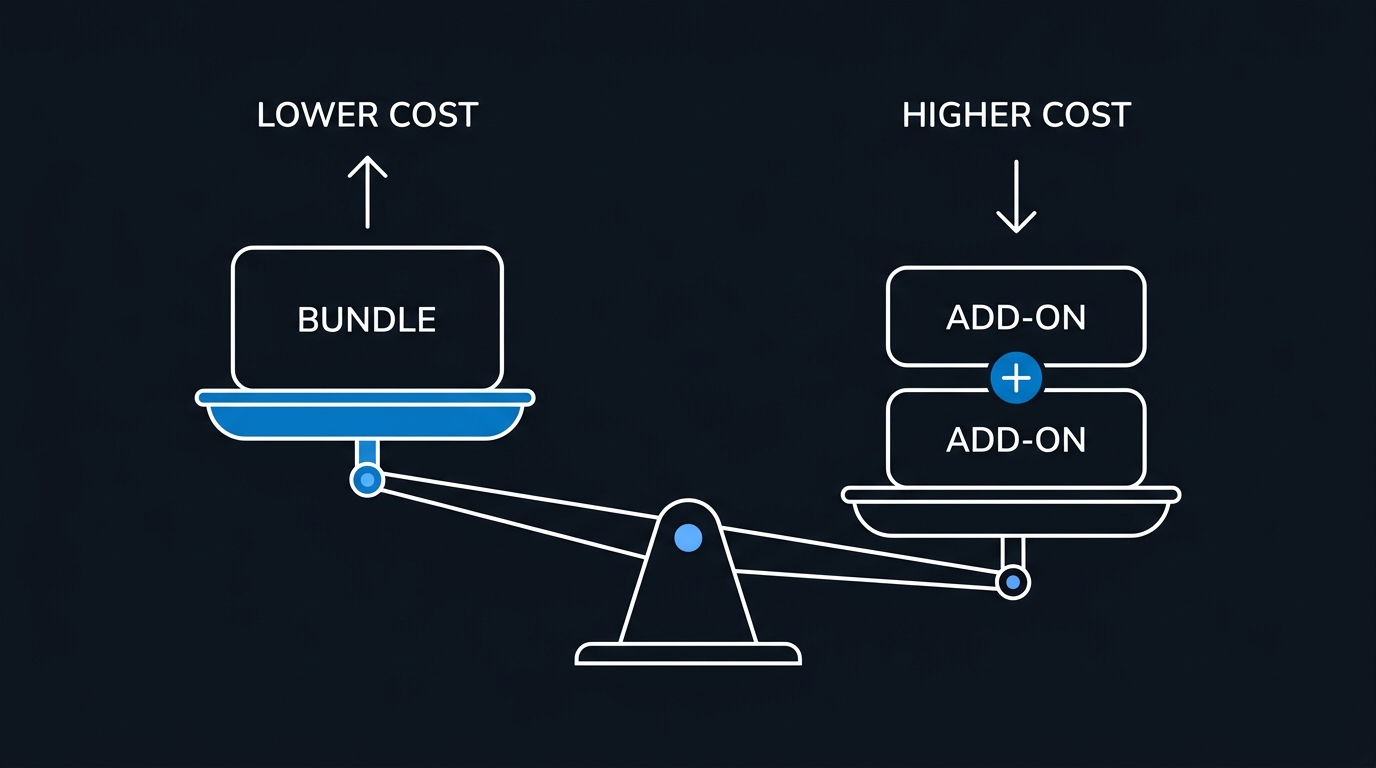
The classic build-vs-buy question in M365 licensing is whether to upgrade an entire tenant to E5 or keep E3 as the base and layer specific add-ons on top. As of mid-2026, Microsoft sells several E5-derived add-ons (E5 Security, E5 Compliance, E5 Insider Risk Management, and standalone Defender/Purview SKUs) priced per user per month — check the current Microsoft price list or your CSP quote for exact figures, since add-on pricing shifts more often than base plan pricing and varies by region and licensing agreement type.
The rule of thumb that holds regardless of exact dollar figures: stacking two or more premium add-ons on top of E3 usually costs more per user than the full E5 SKU, because Microsoft prices the bundle to reward going all-in. Needing just one add-on (say, only Defender for Endpoint) usually keeps standalone cheaper. The break-even typically sits around "do you need 2+ of: advanced threat protection, Entra ID P2, Purview premium compliance, Teams Phone."
Copilot is a separate line item regardless of underlying plan. Microsoft 365 Copilot lists at $30/user/month on top of E3, E5, or Business Premium — it is not bundled into any base SKU. Don't let a vendor conversation blur "we need E5" with "we need Copilot"; they're orthogonal purchases, and an E3 tenant can add Copilot without touching the base plan.
Cost-Modeling Example: 150-Seat Professional Services Firm
Assume a 150-person firm, no compliance mandate beyond standard client confidentiality, needs solid endpoint security but not full XDR, and wants Teams Phone for 30 client-facing staff.
Option A — Business Premium tenant-wide:
150 × $22 = $3,300/month ($39,600/year). Teams Phone System isn't included, so add Teams Phone System licenses (check current per-user pricing) for the 30 client-facing seats plus a calling plan or Operator Connect trunk — call this a separate line item to quote from your carrier or CSP.
Business Premium tops out here because the firm is under 300 seats and doesn't need E5-only compliance tooling — this is very likely the cheapest correct answer.
Option B — E3 tenant-wide (if the firm expects to cross 300 seats within 18 months via planned hiring):
150 × $39 = $5,850/month ($70,200/year) — a $30,600/year premium over Business Premium, paid for headroom and enterprise-scale features (Windows Enterprise rights, no seat cap) the firm doesn't need yet. Only justified if the growth trajectory is real and near-term.
Option C — E5 tenant-wide "to be safe":
150 × $60 = $9,000/month ($108,000/year) — $68,400/year more than Business Premium. Unless this firm has a genuine, broad-based need for Defender XDR, Purview Insider Risk Management, and Teams Phone across the whole organization (not just 30 seats), this is overspending by tens of thousands of dollars a year for capability that will sit unused.
The math makes the point on its own: for a firm this size with this risk profile, Business Premium plus a targeted Teams Phone deployment for the 30 client-facing seats beats a blanket E3 or E5 upgrade by a wide margin. Run the same three-column model against your own seat count and actual feature usage before renewing — the "upgrade everyone for safety" instinct is usually the most expensive one in the room.
License Optimization: Stop Paying for Seats Nobody Uses
Plan selection only matters if you're not simultaneously bleeding money on unused or underused licenses — a problem that shows up in nearly every tenant audit. Two moves fix most of it.
1. Audit assigned-but-unused licenses with Microsoft Graph PowerShell. This pulls every user with a license assigned and cross-references sign-in activity, surfacing accounts (departed employees, service accounts, seasonal staff) still holding a paid seat:
# Requires: Microsoft.Graph.Users, Microsoft.Graph.Reports modules
# Connect with appropriate scopes
Connect-MgGraph -Scopes "User.Read.All", "AuditLog.Read.All", "Reports.Read.All"

# Pull all licensed users
$licensedUsers = Get-MgUser -All -Property Id, DisplayName, UserPrincipalName, AssignedLicenses, SignInActivity |
    Where-Object { $_.AssignedLicenses.Count -gt 0 }

# Flag anyone with no interactive sign-in in the last 60 days
$cutoffDate = (Get-Date).AddDays(-60)

$staleLicenses = $licensedUsers | ForEach-Object {
    $lastSignIn = $_.SignInActivity.LastSignInDateTime
    [PSCustomObject]@{
        DisplayName       = $_.DisplayName
        UserPrincipalName = $_.UserPrincipalName
        LicenseCount      = $_.AssignedLicenses.Count
        LastSignIn        = $lastSignIn
        IsStale           = (-not $lastSignIn) -or ([datetime]$lastSignIn -lt $cutoffDate)
    }
} | Where-Object { $_.IsStale }

$staleLicenses | Sort-Object LastSignIn | Format-Table -AutoSize

# Export for a cost-recovery conversation with finance
$staleLicenses | Export-Csv -Path ".\stale-license-report.csv" -NoTypeInformation
Run this monthly, not just at renewal time — stale licenses accumulate fastest right after layoffs, contractor rotations, and departmental reorgs, and nobody remembers to revoke them in the moment.
2. Move to group-based licensing instead of manual per-user assignment. Manual assignment is the root cause of most license drift — someone gets added to a security group for access reasons, never gets the matching license removed when they leave that group, and the seat just sits there. Group-based licensing in Entra ID ties license assignment to dynamic or assigned group membership, so offboarding (removing someone from the group, or from the directory entirely) automatically frees the seat:
# Assign a license SKU to a security group instead of individual users
Connect-MgGraph -Scopes "Group.ReadWrite.All", "Organization.Read.All"

$groupId = (Get-MgGroup -Filter "displayName eq 'LIC-BusinessPremium-AllStaff'").Id
$sku = Get-MgSubscribedSku | Where-Object { $_.SkuPartNumber -eq "SPB" }  # Business Premium SKU

$licenseParams = @{
    AddLicenses = @(
        @{ SkuId = $sku.SkuId }
    )
    RemoveLicenses = @()
}

Set-MgGroupLicense -GroupId $groupId -BodyParameter $licenseParams
Combine dynamic groups (rule-based on department, employee type, or office location attributes) with group-based licensing and most manual assignment errors disappear — new hires get licensed automatically on their first sync, and departures free the seat the moment they're removed from the directory or the group.
Common Mistakes to Avoid
- Buying E5 tenant-wide for Copilot access. Copilot is a $30/user/month add-on independent of base plan — you can add it to E3 or Business Premium without upgrading everyone to E5.
- Ignoring the 300-seat cap until it's already a problem. If headcount growth is realistic within the renewal cycle, plan the Enterprise-family migration before you hit the wall, not during an emergency re-licensing scramble.
- Treating E3 and E5 as "enterprise-lite" and "enterprise-full" instead of mapping features to actual requirements. Feature-for-feature comparison without a requirements list leads to reflexive over-buying.
- Never auditing license assignment after the initial rollout. Stale licenses from departed staff, over-provisioned pilot programs, and forgotten service accounts commonly represent 10-20% of total license spend in tenants that haven't run an audit in over a year.
- Manually assigning every license instead of using group-based licensing. Manual assignment scales poorly and is the single biggest driver of license drift in mid-size and larger tenants.
- Assuming list price is your price. CSP partners, direct Enterprise Agreements, and nonprofit/education pricing can differ substantially from the public price list — get an actual quote before modeling costs.
Key Takeaways
- Business Premium is the strongest value in the M365 catalog for organizations under 300 seats that don't need E5-exclusive compliance or voice features.
- E3 is the correct enterprise floor for orgs needing scale without advanced threat protection or premium compliance.
- E5 earns its price when Defender XDR, Purview premium compliance, Entra ID P2, or Teams Phone are genuine organization-wide requirements — not when a handful of users want Copilot or one team wants Insider Risk Management.
- Add-ons on top of E3 beat a full E5 upgrade when you need one premium module; stacking two or more usually tips the math back toward E5.
- License waste — not plan selection — is typically the larger cost-recovery opportunity, and it's fixable this quarter with a Graph PowerShell audit and a move to group-based licensing.
Next Steps
Pull your current tenant's license assignment report this week using the Graph PowerShell script above, flag anything stale, and quantify the recoverable spend before your next renewal conversation. Then map your actual security and compliance requirements — not aspirational ones — against the E3/E5 feature delta before signing up for a blanket upgrade. If you're under 300 seats and haven't evaluated Business Premium against your current Enterprise Agreement, that comparison alone is worth an hour with your CSP or Microsoft account team.

Leave a Reply