
Two changes are moving through your fleet right now, and neither announces itself with a dialog box. The September 2026 Windows security update quietly expands who gets a rewritten Secure Boot trust chain — new certificates replacing ones issued in 2011 and now working through their expiration dates. A month later, the October update starts flipping on Memory Integrity by default for any eligible device that has not explicitly said no. Neither change asks an end user's permission, and both arrive through the same ordinary channel: monthly quality updates.
That pairing is worth planning around, not reading about after the fact. Firmware that can't accept a new key-exchange key certificate and a driver that can't survive hypervisor-enforced code integrity checks fail the same unhelpful way — quietly, on a schedule you didn't choose. The organizations that get through October cleanly are the ones who ran the PowerShell first.
This guide covers what changed in the September and October releases, the commands and event IDs Microsoft documents for reading your fleet's current state, and the Intune, Group Policy, and registry controls available today — not the ones promised for "a future update." It closes with the failure modes that show up after both land, most of them avoidable with a week's notice.
What Changed, and Who It Touches
Both changes share a root cause — Windows hardening its earliest boot and kernel trust boundaries — but ship on different clocks, with different eligibility rules and different failure consequences.
| Secure Boot certificate rotation | Memory Integrity by default | |
|---|---|---|
| What it replaces | 2011-issued UEFI CA and KEK certificates | Nothing — it turns on a feature that already shipped years ago |
| Why now | The Microsoft Corporation KEK CA 2011 and Microsoft UEFI CA 2011 began expiring in June 2026; the Windows Production PCA 2011 follows on 19 October 2026 | Raises the cost of kernel-level exploitation as a default baseline, not an opt-in |
| Delivery mechanism | Phased "high confidence device targeting" through monthly quality updates | Automatic enablement after a per-device readiness check, starting with October 2026 quality updates |
| Scope | Windows 10, Windows 11 (21H2 and later), and Windows Server 2012–2025, including unmanaged devices | Eligible Windows 11 devices meeting minimum CPU/RAM/storage/firmware requirements |
| What stops it | Firmware that cannot accept the 2023 CAs, or an explicit HighConfidenceOptOut |
An existing disable — manual, GPO, Intune, or registry — or a failed readiness check |
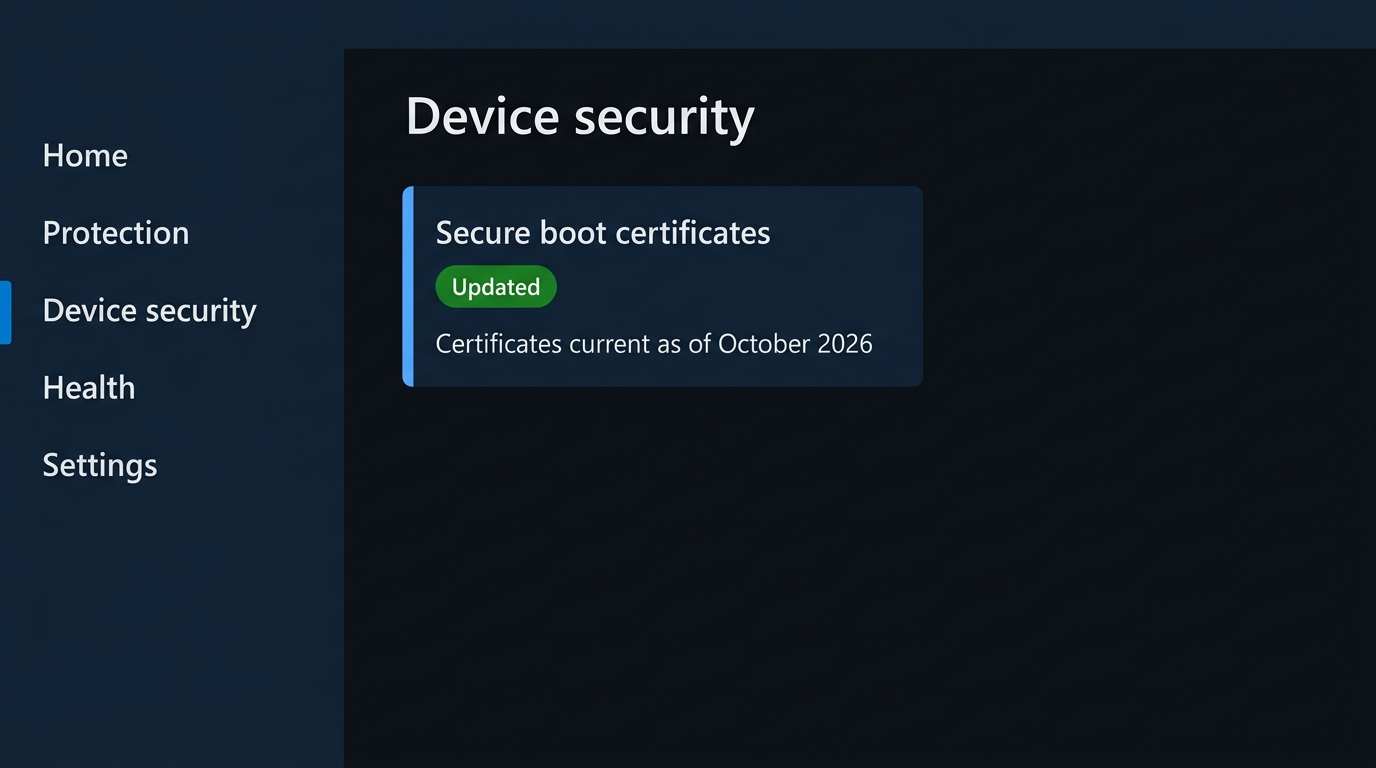
| Where you see status | Windows Security → Device security → Secure Boot | Windows Security → Device security → Core isolation details → Memory integrity |
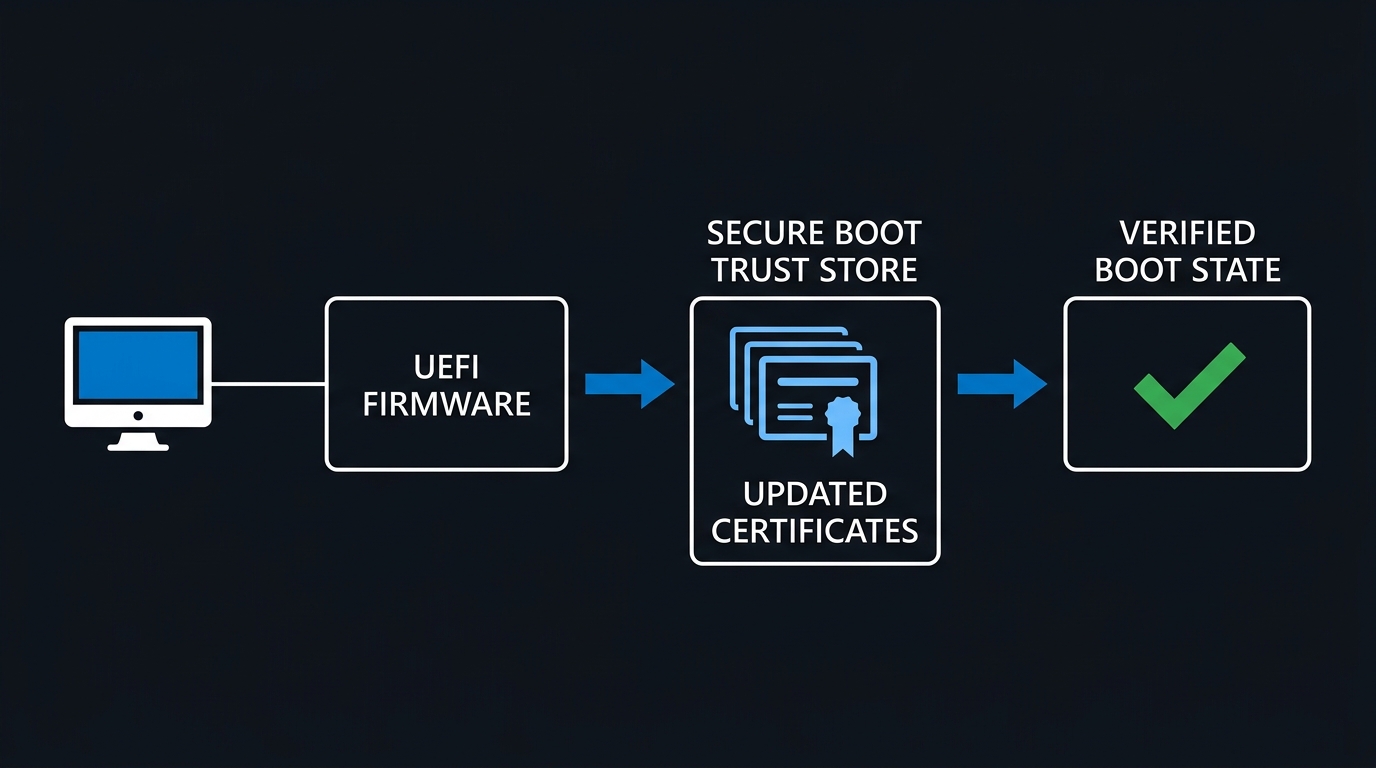
The September 8, 2026 cumulative updates — KB5124008 for Windows 11 24H2/25H2, plus the parallel 23H2 and Windows 10 builds — carry the certificate change. Microsoft's Windows message center notice (MC1469327, published the same day) puts it plainly: "This update includes additional high confidence device targeting data, increasing coverage of devices eligible to automatically receive new Secure Boot certificates. Certificate deployment via Windows updates continues across supported PCs and non-managed business devices in the coming months." Microsoft isn't certificate-updating every device on the same day — it's watching update-success telemetry per device population and expanding coverage as confidence grows.
Memory Integrity's default-on rollout is a separate line item, announced on the Windows IT Pro Blog as "Expanding memory integrity protection across Windows devices". It targets devices with an 8th-generation Intel CPU or newer, AMD Zen 2 or newer, or Qualcomm Snapdragon 8180 or newer, at least 8 GB of RAM, a 64 GB SSD, and virtualization enabled in firmware — the same hardware table Microsoft has documented for years for default enablement on clean installs, now paired with a readiness check that weighs driver compatibility and measured performance impact before flipping the switch.
Reading What Your Fleet Actually Has
Before staging the Windows Secure Boot certificate update for 2026, find out what state your devices are already in. Secure Boot exposes its trust store through PowerShell, and the cmdlets haven't changed in years — only what's worth checking inside them has.
Confirm-SecureBootUEFI answers the first question, is Secure Boot even on:
# Requires an elevated PowerShell session on a UEFI (non-legacy-BIOS) machine
Confirm-SecureBootUEFI
A $True result means Secure Boot is enabled; $False means it's supported but off; and a "Cmdlet not supported on this platform" message means legacy BIOS, or Secure Boot support disabled below what PowerShell can query. Flag that third case immediately — those machines can't receive any of the certificate updates described below, by cmdlet design.
Get-SecureBootUEFI reads the actual UEFI variables — PK, KEK, db, and dbx — as raw byte arrays by default. On devices that have received the April 2026 cumulative update or later, the cmdlet also accepts a -Decoded switch that returns readable certificate objects — Subject, SerialNumber, ValidFrom, ValidTo — instead of bytes:
# Confirm the Windows UEFI CA 2023 is present in the signature database (db)
Get-SecureBootUEFI -Name db -Decoded | Where-Object Subject -match 'Windows UEFI CA 2023'

# Repeat against the Key Exchange Key store for the KEK replacement
Get-SecureBootUEFI -Name KEK -Decoded | Where-Object Subject -match 'Microsoft Corporation KEK 2K CA 2023'
Fleets still on pre-April 2026 builds don't have -Decoded yet and need the raw-bytes fallback instead — decode and search as text:
# Fallback for builds without -Decoded: decode the raw signature database bytes
$db = Get-SecureBootUEFI -Name db
$dbText = [System.Text.Encoding]::ASCII.GetString($db.Bytes)
$dbText -match 'Windows UEFI CA 2023'
Both -Name db and -Name KEK are documented accepted values alongside PK, dbx, SetupMode, and SecureBoot itself. A match confirms the 2023 certificate landed in that store; no match means the device still relies on the 2011 chain — not yet targeted, or targeting failed.
Two Secure Boot–specific events tell the same story without decoding bytes. Event ID 1801 in the System log indicates updated certificates are available but not yet applied; event ID 1808 confirms they've been applied. Both fire from the Secure-Boot-Update scheduled task at \Microsoft\Windows\PI\Secure-Boot-Update, which runs when the AvailableUpdates registry value under HKEY_LOCAL_MACHINE\SYSTEM\CurrentControlSet\Control\SecureBoot is non-zero — a bitmask where each set bit is one pending action, cleared in order as it succeeds. Two more values in the same key are worth reading directly: SecureBootEnabled and HighConfidenceOptOut, the latter being the registry-level kill switch Microsoft documents for excluding a device from the automatic rollout. A Servicing subkey tracks per-device outcome in UEFICA2023Status and UEFICA2023Error — the fastest way to script a fleet-wide compliance sweep without touching a single UEFI variable.
The Windows Secure Boot Certificate Update in 2026: On Autopilot for Most of the Fleet
For devices Microsoft manages directly, the scheduled task applies a fixed sequence once AvailableUpdates goes non-zero: the Option ROM UEFI CA 2023 and Microsoft UEFI CA 2023 into the signature database, then the KEK 2K CA 2023 into the key exchange key store, then a Windows Boot Manager signed by the new Windows UEFI CA 2023. Microsoft's guidance estimates roughly 48 hours and one or more restarts for the full sequence — so a device can look "done" after step one and still be mid-rollout.
For devices you manage through Intune, the settings catalog exposes the same controls as three named settings — search the catalog for "Secure Boot":
- Configure Microsoft Update Managed Opt In — writes
MicrosoftUpdateManagedOptIn; Microsoft assists deploying certificates the same way it does on unmanaged consumer hardware. Requires the device to send required diagnostic data — the safety gate has nothing to evaluate without it. - Configure High Confidence Opt-Out — writes
HighConfidenceOptOut; the managed equivalent of the registry key above. - Enable Secure Boot Certificate Updates — writes
AvailableUpdatesdirectly, forcing deployment regardless of high-confidence classification.
To stage by hardware model rather than Entra ID group, model-based targeting builds an assignment filter on the model device property and applies it to the profile as an include or exclude filter. The task reading the resulting policy runs every 12 hours, so a filter change takes effect next cycle, not immediately.
Group Policy isn't a gap here: a dedicated Secure Boot GPO path under Computer Configuration → Administrative Templates → Windows Components → Secure Boot mirrors the three Intune settings above — Enable Secure Boot Certificate Deployment (writes AvailableUpdates), Automatic Certificate Deployment via Updates (writes HighConfidenceOptOut, with enabled/disabled inverted from the setting name — enabling it opts out), and Certificate Deployment via Controlled Feature Rollout (writes MicrosoftUpdateManagedOptIn). It requires the current Administrative Templates (.admx) published alongside Windows 11 25H2 or Windows Server 2025's October 2025 release. Off both Intune and GPO, the WinCS command-line APIs for domain-joined clients are your remaining lever.
Finding the Drivers That Will Break Memory Integrity
Memory Integrity has existed as an opt-in feature since Windows 10 1607; what changes in October is that Windows will turn it on for you if nothing about your driver estate looks likely to break. Finding out in advance beats finding out from a help desk queue.
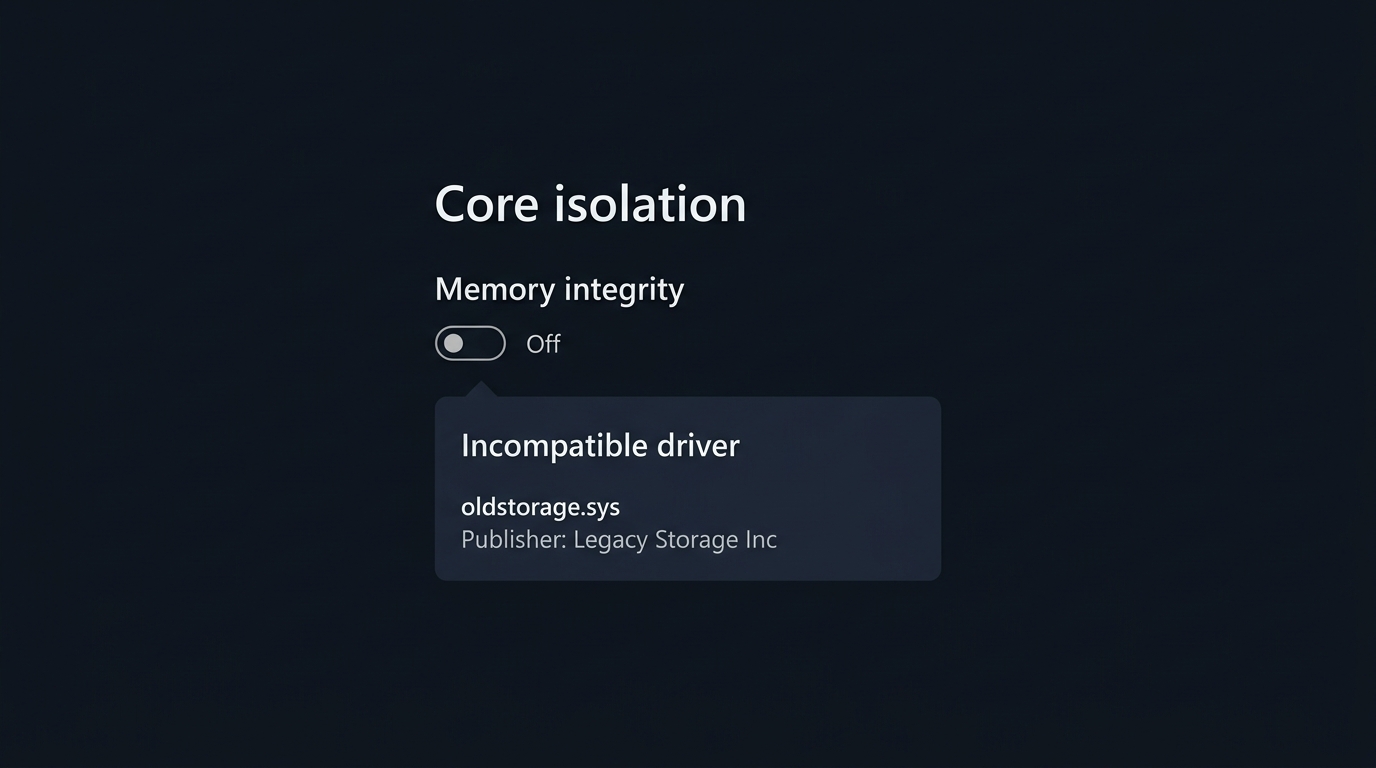
Start with the built-in surface. Windows Security → Device security → Core isolation details → Memory integrity lists any driver currently blocking the toggle, by file name and publisher, when the built-in scan can identify one. It sometimes can't — legacy or rarely-loaded drivers don't always surface there. For a more exhaustive pass, Microsoft publishes a standalone Memory integrity system readiness scan tool — hvciscan_amd64.exe and hvciscan_arm64.exe — that walks every loaded driver against the same compatibility rules from an elevated command line:
# Run the appropriate architecture build from an elevated prompt or PowerShell session
.\hvciscan_amd64.exe
# Review the console output for drivers flagged incompatible with memory integrity
For a machine-readable check across a fleet, Win32_DeviceGuard reports current VBS and memory integrity state without needing the UI at all:
Get-CimInstance -ClassName Win32_DeviceGuard -Namespace root\Microsoft\Windows\DeviceGuard |
    Select-Object AvailableSecurityProperties, SecurityServicesConfigured, SecurityServicesRunning, VirtualizationBasedSecurityStatus
VirtualizationBasedSecurityStatus of 2 means VBS is enabled and running; 1 means enabled but not running — the state a device lands in when the hypervisor can't start memory integrity despite policy asking for it, exactly what a driver incompatibility produces. This is documented behavior, not an error state, and the value to alert on in any fleet-wide compliance query.
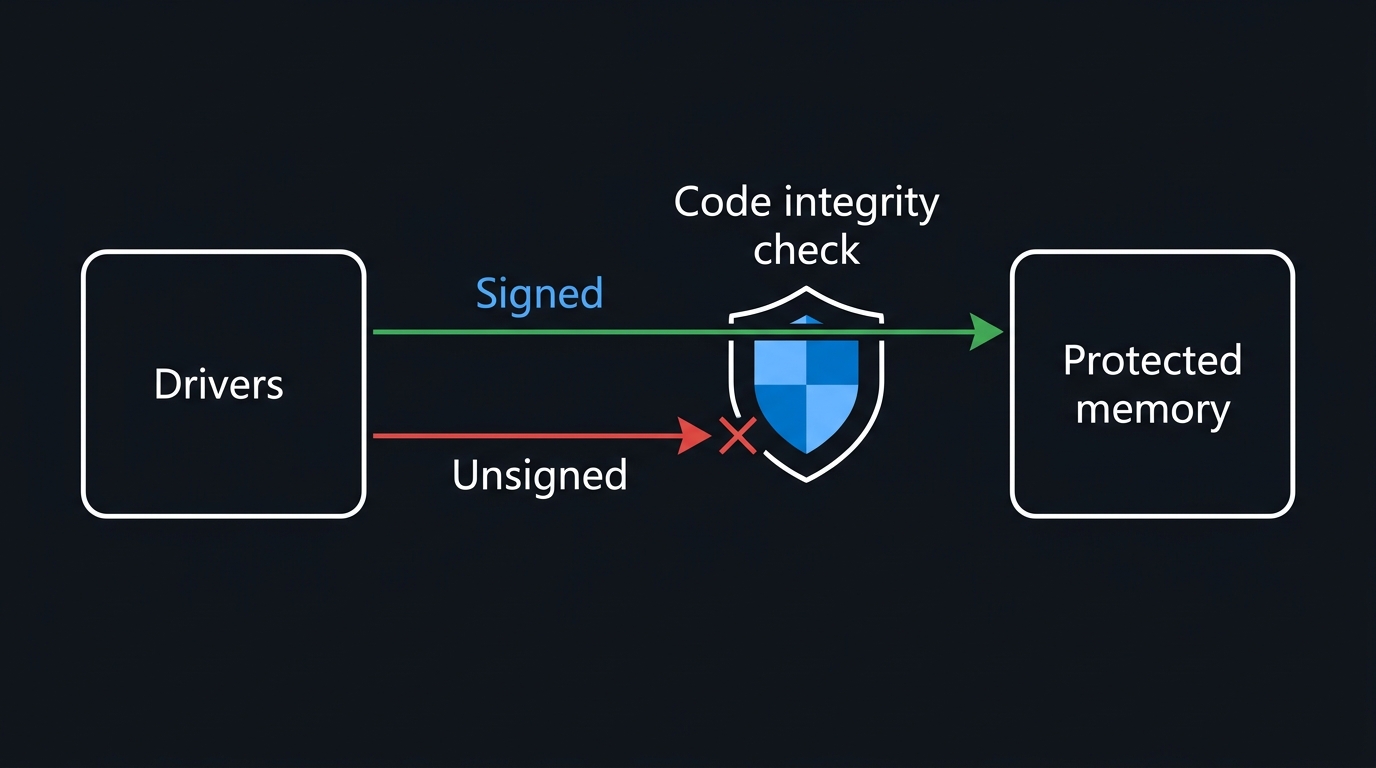
When a driver gets blocked, Windows logs it to the Code Integrity operational log rather than failing silently everywhere at once. Two event IDs are documented for exactly this: event ID 3074, a page-hash failure while HVCI is enabled, and event ID 3111, logged when a file under validation doesn't meet the HVCI policy outright. Both live under Applications and Services Logs → Microsoft → Windows → CodeIntegrity → Operational, and both are worth shipping to whatever log pipeline already watches your fleet — they'll fire in the pilot ring well before the broad ring notices anything.
Test this in a ring before it tests itself on you. Add a pilot group — including specialty input devices, anti-cheat software, and older banking-security agents, the categories Microsoft flags as recurring offenders — to whichever GPO, Intune profile, or registry change enables memory integrity, and watch the CodeIntegrity log and Win32_DeviceGuard output for a week before expanding. An Autopilot-provisioned fleet can reuse its existing Autopilot and Intune provisioning rings here rather than building a parallel structure.
Staying in Control: Intune, Group Policy, and the Registry
Memory Integrity's management surface is far more mature than the certificate rotation's, having been a supported control point since Device Guard shipped. All four paths below produce the same effect, and Windows Update is documented to respect whichever one you already used — an existing disable isn't overridden by the October push.
Intune (settings catalog). Search for Virtualization Based Technology → Hypervisor Enforced Code Integrity, or target the HypervisorEnforcedCodeIntegrity node directly through the VirtualizationBasedTechnology CSP for custom OMA-URI profiles.
Group Policy. Under Computer Configuration → Administrative Templates → System → Device Guard, enable Turn on Virtualization Based Security, then set Virtualization Based Protection of Code Integrity to Enabled without UEFI lock for a policy you can reverse remotely — reserve Enabled with UEFI lock for when you specifically want physical console access required to disable it.
Registry, for anything not domain-joined or Intune-managed:
reg add "HKLM\SYSTEM\CurrentControlSet\Control\DeviceGuard" /v "EnableVirtualizationBasedSecurity" /t REG_DWORD /d 1 /f
reg add "HKLM\SYSTEM\CurrentControlSet\Control\DeviceGuard" /v "RequirePlatformSecurityFeatures" /t REG_DWORD /d 1 /f
reg add "HKLM\SYSTEM\CurrentControlSet\Control\DeviceGuard" /v "Locked" /t REG_DWORD /d 0 /f
reg add "HKLM\SYSTEM\CurrentControlSet\Control\DeviceGuard\Scenarios\HypervisorEnforcedCodeIntegrity" /v "Enabled" /t REG_DWORD /d 1 /f
reg add "HKLM\SYSTEM\CurrentControlSet\Control\DeviceGuard\Scenarios\HypervisorEnforcedCodeIntegrity" /v "Locked" /t REG_DWORD /d 0 /f
For a machine you know has an incompatible driver and can't fix it yet, flip only the scenario key to pin the setting off before October:
reg add "HKLM\SYSTEM\CurrentControlSet\Control\DeviceGuard\Scenarios\HypervisorEnforcedCodeIntegrity" /v "Enabled" /t REG_DWORD /d 0 /f
Timing matters here: an explicit, pre-existing "off" is what the readiness check is documented to honor. There's no separate flag to pre-emptively refuse the automatic enablement — the disable is the opt-out.
Fleets running Intune device compliance policies should fold both the Secure Boot certificate status and VirtualizationBasedSecurityStatus into existing compliance checks now, rather than discovering in October which devices silently failed the readiness check.
The Ring Rollout, End to End
A rollout that survives contact with real hardware combines inventory, staging, and control like this:
A managed holdout ring is a tracked exception list with an owner and a re-test date — not a device you quietly stop thinking about.
Firmware, VDI and the Other Ways the Rollout Goes Wrong
Most damage from both rollouts is avoidable, but it clusters in a handful of predictable places.
Firmware that cannot accept the new KEK. Some OEM firmware, especially several years past its support window, cannot apply the 2023 certificates at all. The Windows Security app surfaces this with the status message "Secure Boot is on, but your device does not support the automated Secure Boot certificate update due to hardware or firmware limitations" — one of six documented certificate-status messages the app can show — and the fix is a firmware update from the manufacturer, not a Windows-side retry. Inventory this population now; it's the group most likely to still be on the 2011 chain when the October 2026 PCA expiration closes the loop.
Devices that update the database, then fail on the key exchange key. Because the rollout applies changes as an ordered sequence — database first, then KEK, then boot manager — a device can complete the first step cleanly and still fail the second on the same firmware. Don't read a device with the 2023 entries in db as fully migrated; check KEK separately, and treat UEFICA2023Status as authoritative rather than any single UEFI variable.
VDI hosts and nested virtualization. Memory integrity protects a Hyper-V guest the same way it protects a physical machine, but two configurations break it outright: Virtual Fibre Channel adapters and pass-through disks configured with AllowFullSCSICommandSet are both documented as incompatible unless you opt the VM out first with Set-VMSecurity -VMName <name> -VirtualizationBasedSecurityOptOut $true. On Azure, selecting Secure Boot with DMA on a VM that doesn't support DMA protection leaves VBS reporting enabled but not running — check VirtualizationBasedSecurityStatus rather than trusting the portal toggle.
Assuming "not enrolled in Intune" means "not affected." Both changes ship through ordinary Windows Update servicing, not an MDM push. KB5124008's release notes say certificate deployment "continues across supported PCs and non-managed business devices in the coming months," and the Memory Integrity readiness check runs on any eligible device regardless of management state — it skips devices with an existing explicit disable, not devices that are simply unmanaged. Silence from your MDM console isn't evidence of exemption; it's evidence you haven't checked the device's actual state.
The 2026 Windows Secure Boot certificate update also covers Server 2012 through 2025, not just client Windows. If your server estate patches on a separate cadence, fold this inventory into whatever PowerShell and Azure Update Manager workflow already governs those machines, rather than treating servers as an afterthought.

Leave a Reply